Publish Settings
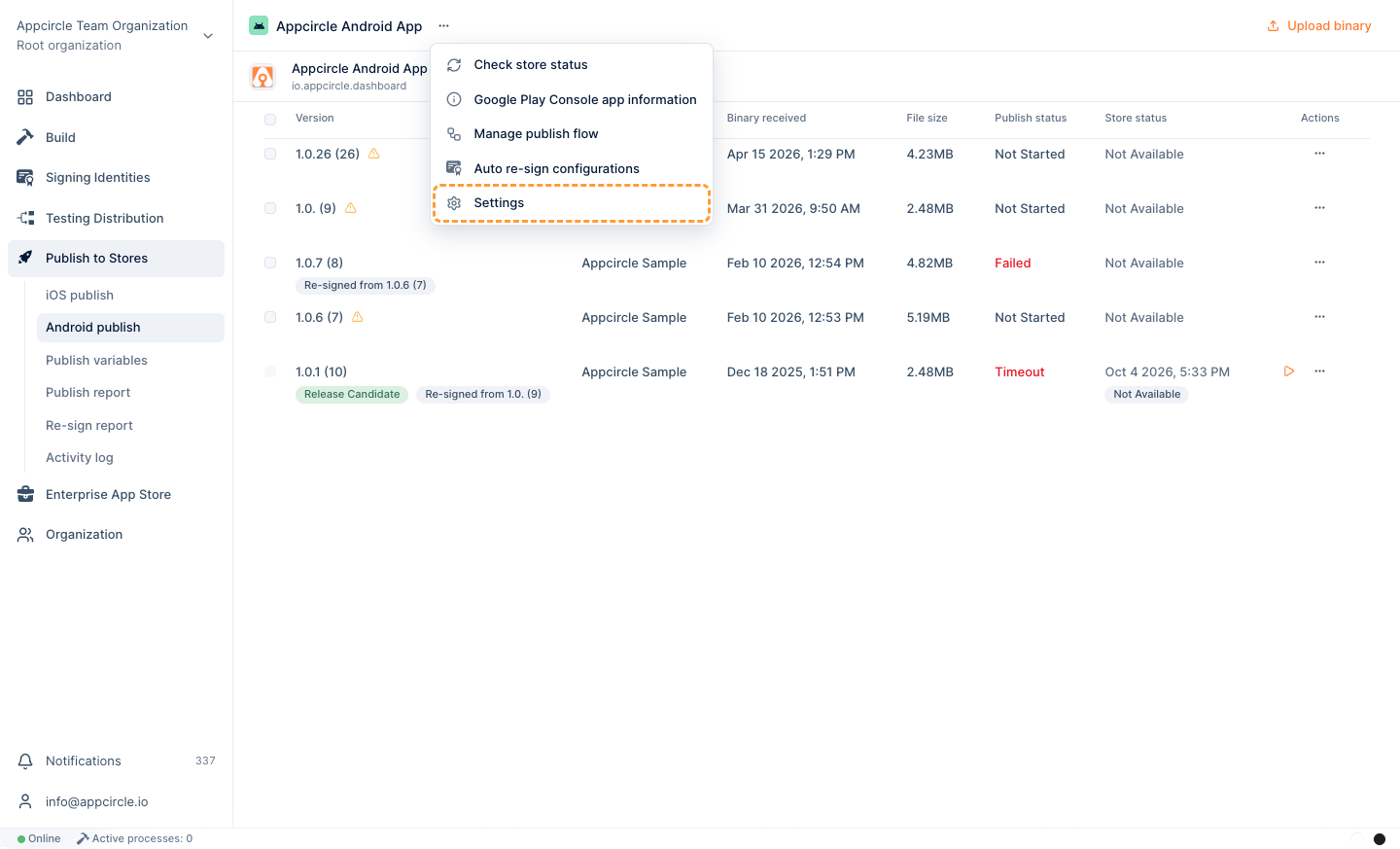
When a build is completed on the Build module and its artifacts are distributed to the Publish to Stores module, we can start the publish process to the stores using the Auto publish toggle in Settings. To open Settings, select it from the ... menu next to the publish profile name.
Your configured publish flow will be executed automatically when you enable Auto Publish.
You can also select a runner pool from the Select a pool dropdown list.
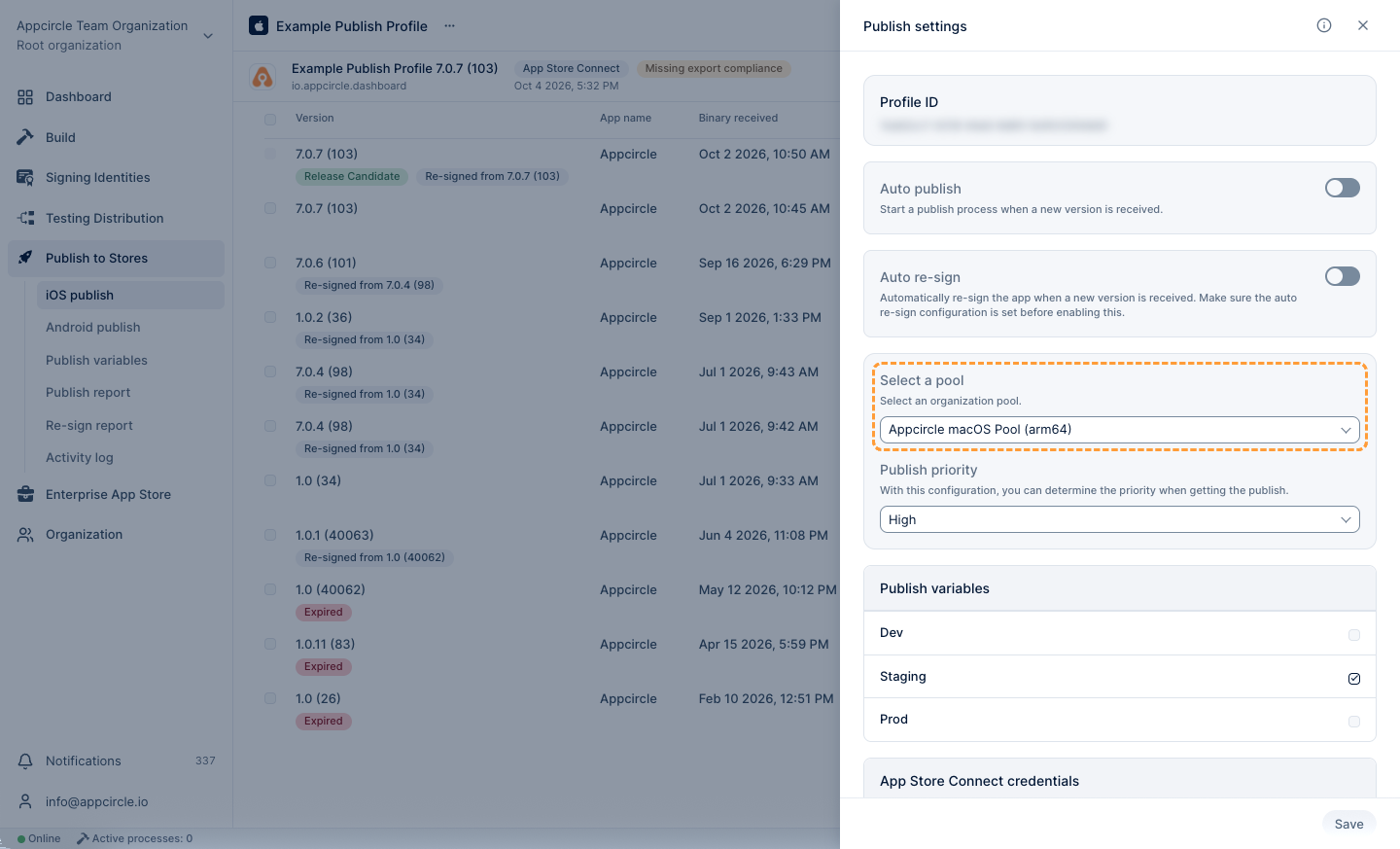
"Appcircle Linux Pool (x86_64)" and "Appcircle macOS Pool (arm64)" are Appcircle cloud-hosted pools and only available for the cloud services.
You can use both cloud-hosted pools for the Android publish profiles.
On the other hand, for iOS publish profiles, the only option for Appcircle Cloud is Apple Silicon-based "Appcircle macOS Pool (arm64)".
"Appcircle Linux Pool (x86_64)" support is not available for the iOS publish profiles.
If there are any self-hosted pools in your organization, you can also select them from the list. Self-hosted Appcircle users will only see the self-hosted pools in this list.
Self-hosted Pools
If group or variable definitions have been made in Publish Variables, you will see the list of variable groups in Settings, and you can select one or more of them to use in your publish flow.
Auto Publish
This switch, when enabled, automatically starts the publishing process for new app versions as they become available.
Select a Pool
You can select a runner pool from the dropdown list to execute the publish flow.
There are two default pools available for cloud services:
- Appcircle Linux Pool (x86_64)
- Appcircle macOS Pool (arm64)
You can use both cloud-hosted pools for the Android publish profiles.
On the other hand, for iOS publish profiles, the only option for Appcircle Cloud is Apple Silicon-based "Appcircle macOS Pool (arm64)".
"Appcircle Linux Pool (x86_64)" support is not available for the iOS publish profiles.
Self-hosted Appcircle users will see their self-hosted pools in this list.
Publish Variables
Publish Variables are key-value pairs that can be used to store configuration settings, credentials, and other data required during the publish process. You create variable groups and their variables on the Publish variables page of the Publish to Stores module, and then select the groups to use under Publish variables in Settings.
For detailed information on Publish Variables, follow the link below.
Publish Variables
Store Credentials
Store credentials are the connection details for the stores that you will publish your app to.
For detailed information on store connections, follow the links below.
The Apple Enterprise Program is intended solely for in‑house distribution within an organization. Consequently, an Apple Enterprise API Key cannot be used in the Publish to Stores module because the Enterprise Program does not provide any App Store Connect or TestFlight infrastructure.
| Store | Connection |
|---|---|
| App Store | Adding an App Store Connect API Key |
| Google Play | Adding Google Play Service Account |
| Huawei AppGallery | Adding Huawei API Key |
| Microsoft Intune | Adding Microsoft Intune API Credentials |
Publish Priority
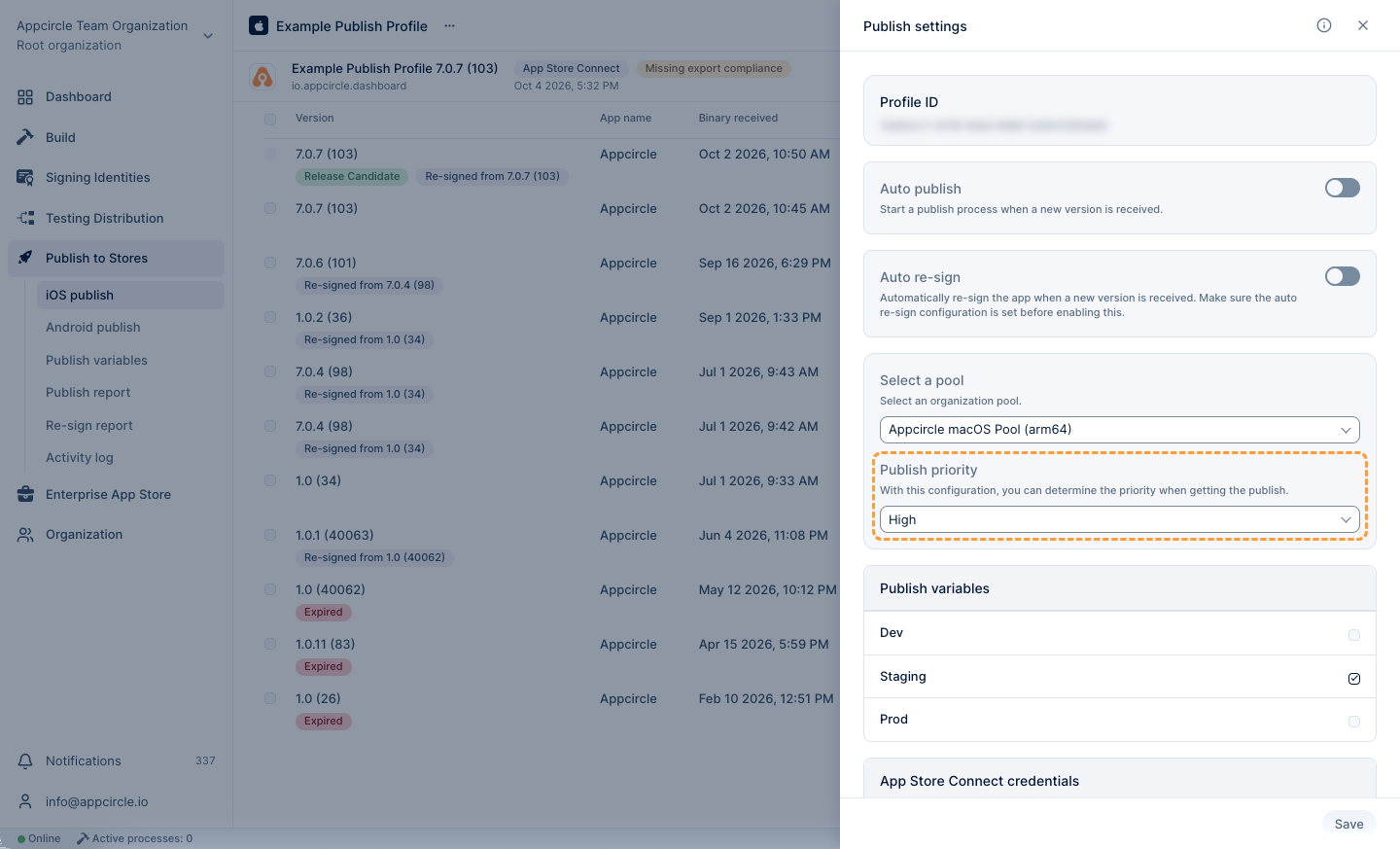
The publish priority configuration feature includes three levels: Low, Medium, and High.
These priority levels influence the starting order of queued publish processes, ensuring that higher-priority publish processes are initiated first.
For instance, if a high-priority publish is added to the queue after a low-priority publish, the high-priority publish will commence before the low-priority one.
This functionality allows for better management of publish processes, enabling teams to prioritize critical updates and enhancements efficiently.
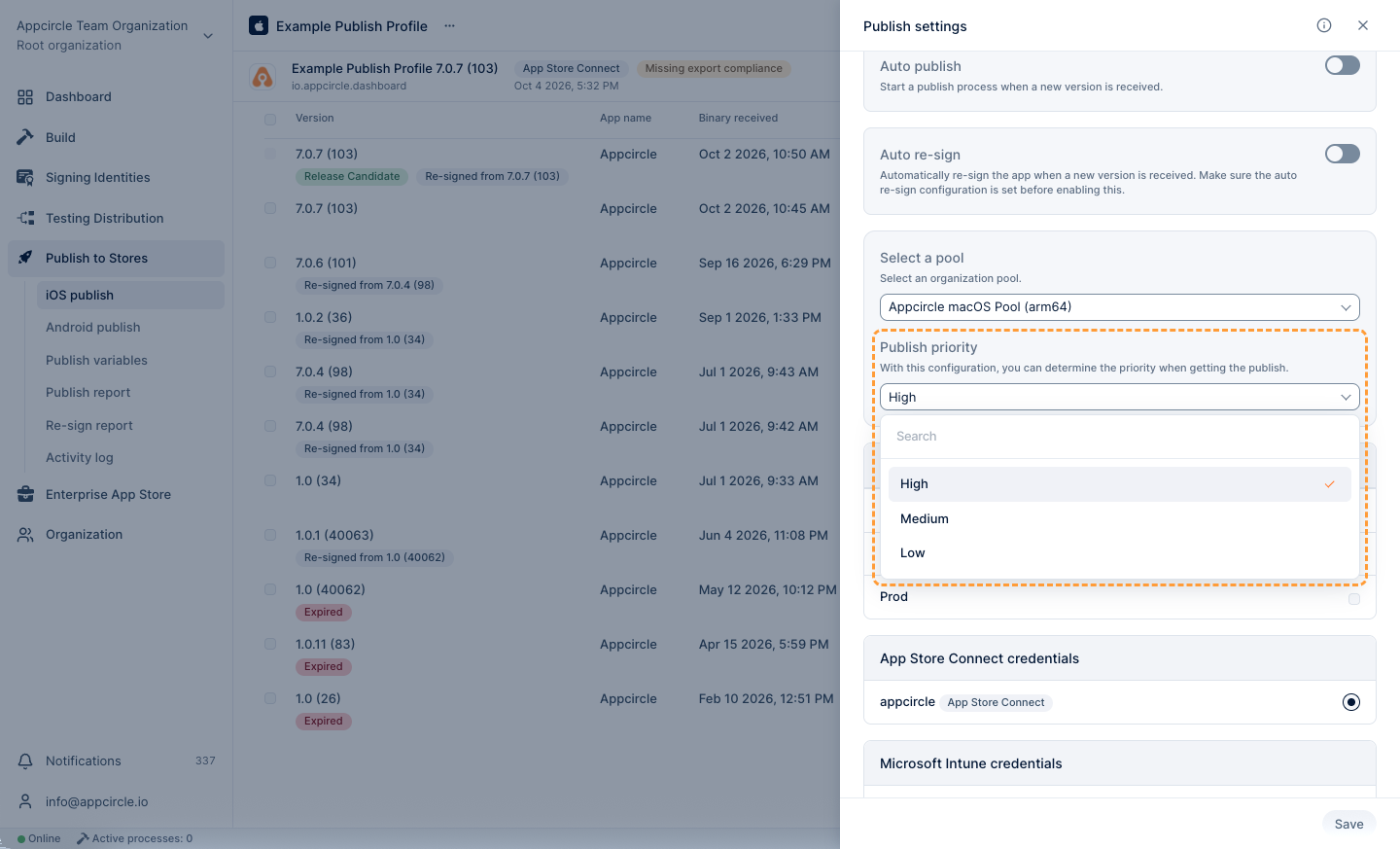
This feature is only available for organizations with Enterprise license.