Appcircle Claude Assistant
The Appcircle Claude Plugin connects Claude to the Appcircle platform, bundling the Appcircle MCP Server with Appcircle-aware skills so you can ask Claude about your Appcircle organization or how to use Appcircle.
How to Use Appcircle Claude Assistant
The plugin registers the Appcircle MCP Server and the following Appcircle-aware skills, automatically namespaced under appcircle:
| Skill | Purpose |
|---|---|
appcircle:appcircle-assistant | Answers Appcircle questions using official sources (docs.appcircle.io and appcircle.io) |
appcircle:build-insights-report | Renders a visual Build Insights Report (health & trends, root cause, workflow quality, artifact health, queue time, and CI maturity) from the get_build_insights_report MCP tool. See Build Insights for the full metric reference |
Claude Code and claude.ai install the plugin differently, so follow the steps for the surface you use. MCP tools are only available in Claude Code for now; installing the plugin in claude.ai gets you the appcircle-assistant skill, not the MCP tools.
In Claude Code
- (Optional, for MCP tools) Before starting Claude Code, set your Appcircle Access Token in your shell so the MCP server can authenticate:
The MCP server reads this from the process environment, so it must be set before you launchexport APPCIRCLE_ACCESS_TOKEN=<your-access-token>
claude; exporting it later in an already-running session has no effect until you restart. - Add the Appcircle marketplace:
/plugin marketplace add appcircleio/appcircle-ai-plugins
- Install the plugin:
/plugin install appcircle@appcircle
- Reload:
/reload-plugins
- Ask Claude an Appcircle question. For "how do I" or troubleshooting questions, for example "How do I set up automatic code signing for my iOS builds," Claude uses the
appcircle-assistantskill. For questions about your own organization, for example "List my build profiles," Claude uses the Appcircle MCP tools, which requires step 1.
In claude.ai
You can install this plugin's skills in claude.ai too. MCP tools remain Claude Code-only for now.
-
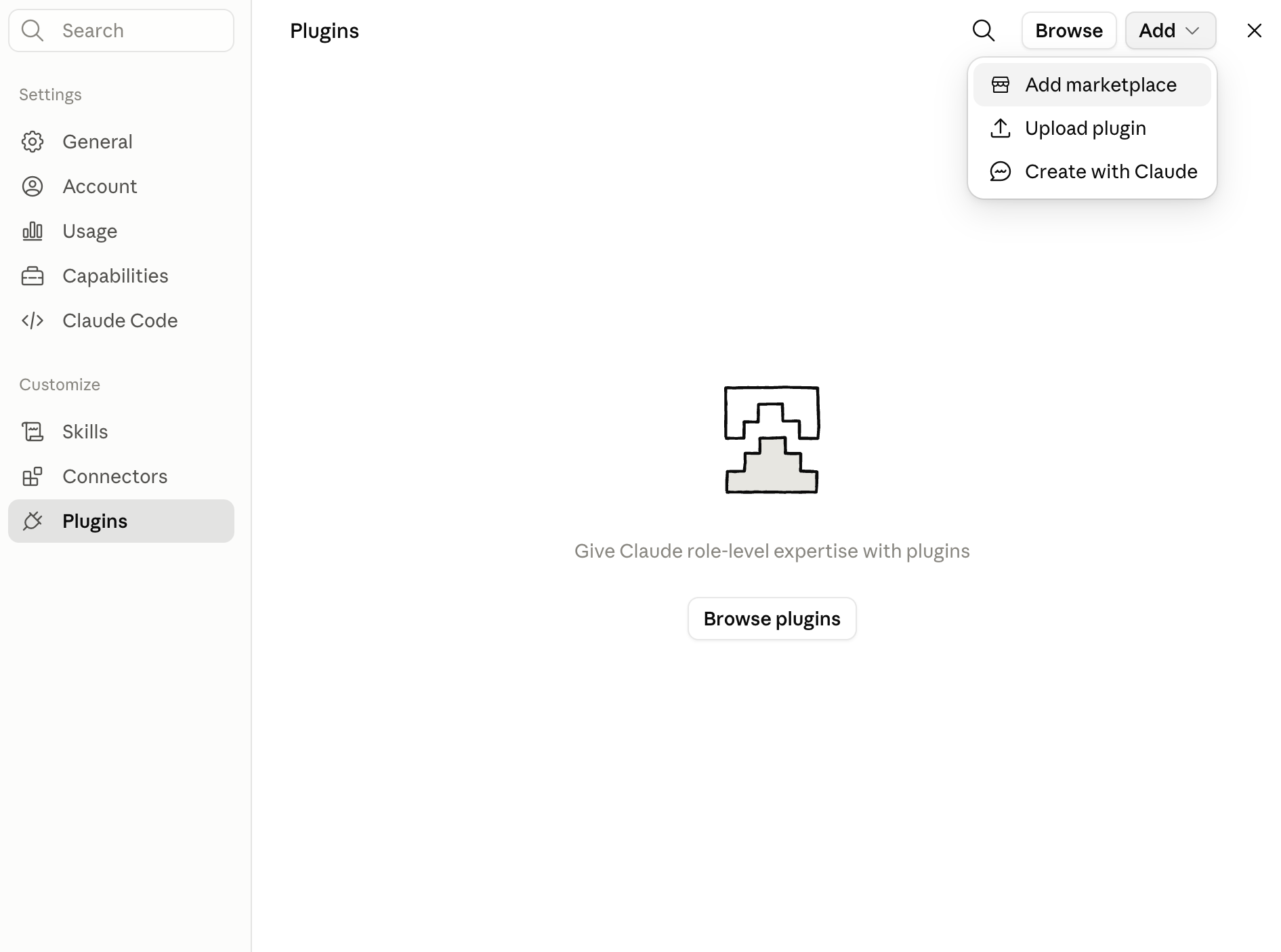
Click Customize > Plugins > Add > Add marketplace.
-
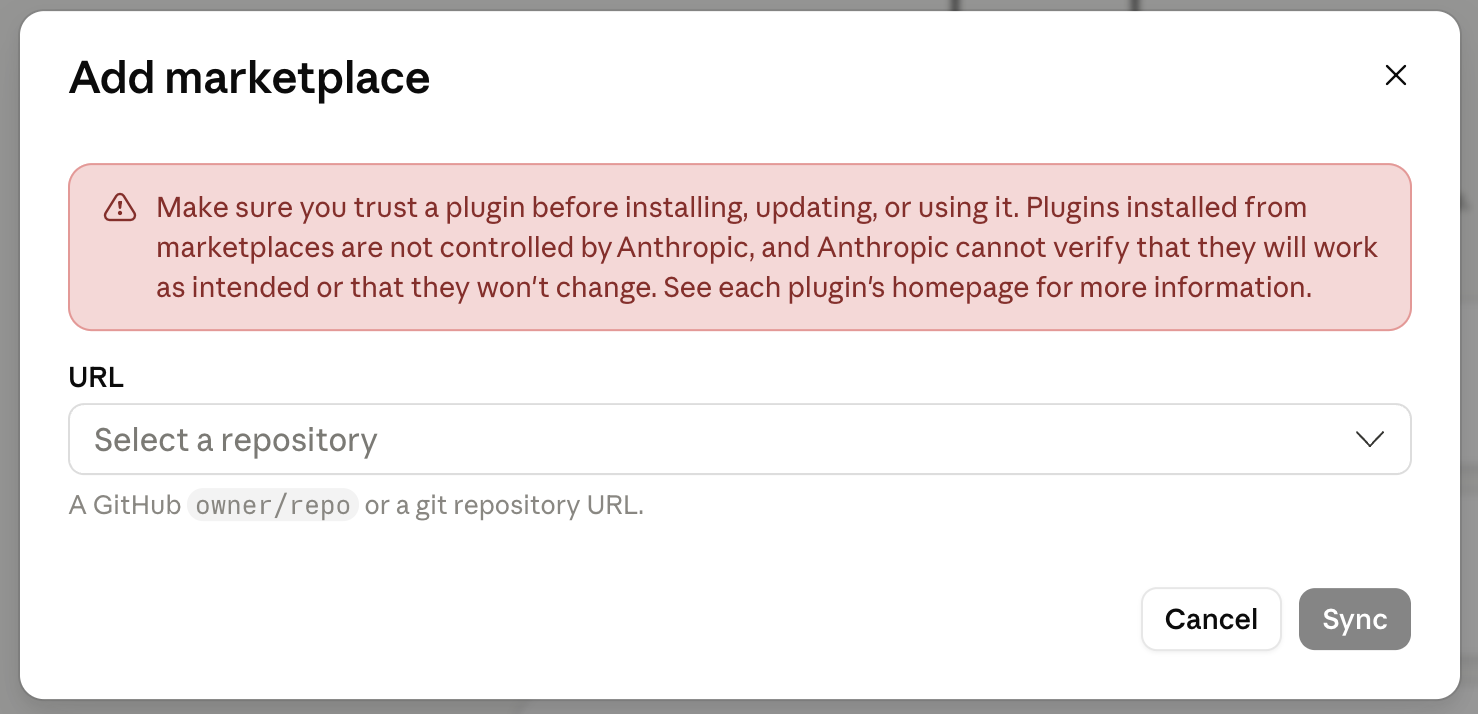
You will see the following screen.
-
Enter the repository URL:
https://github.com/appcircleio/appcircle-ai-plugins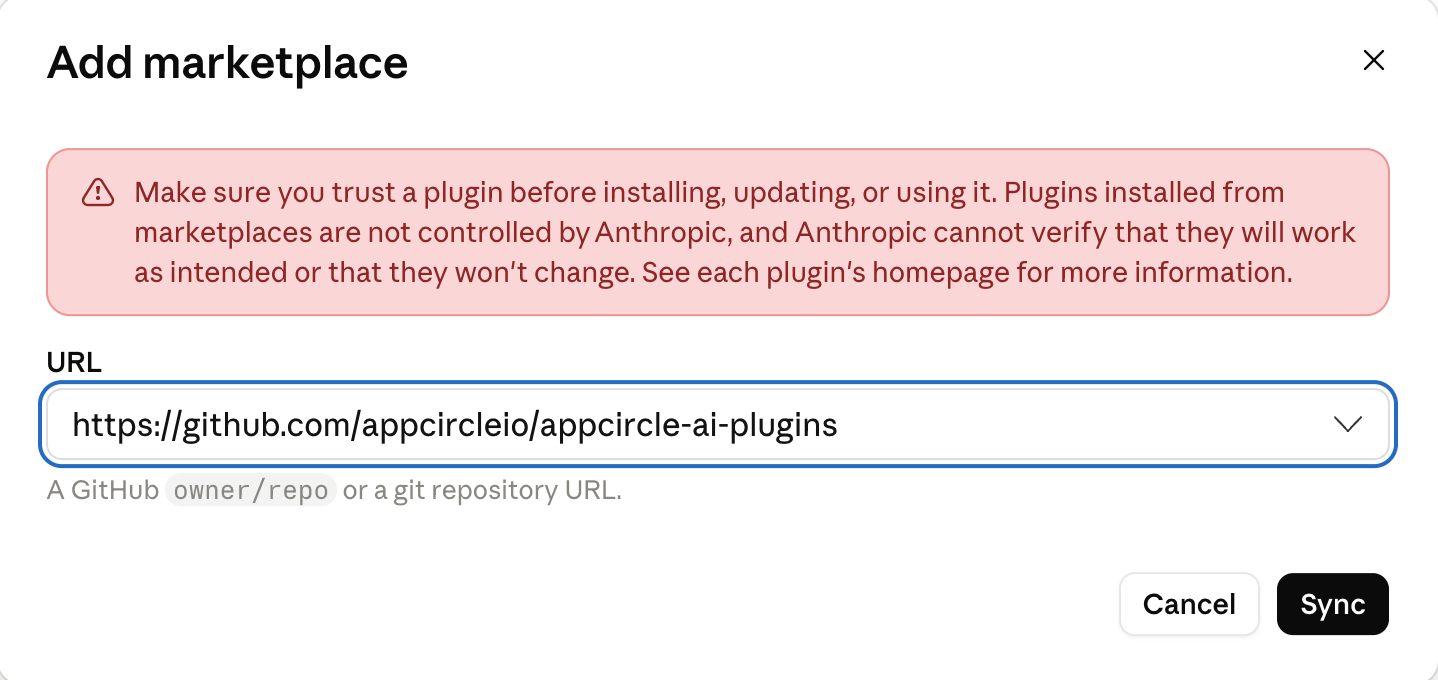
-
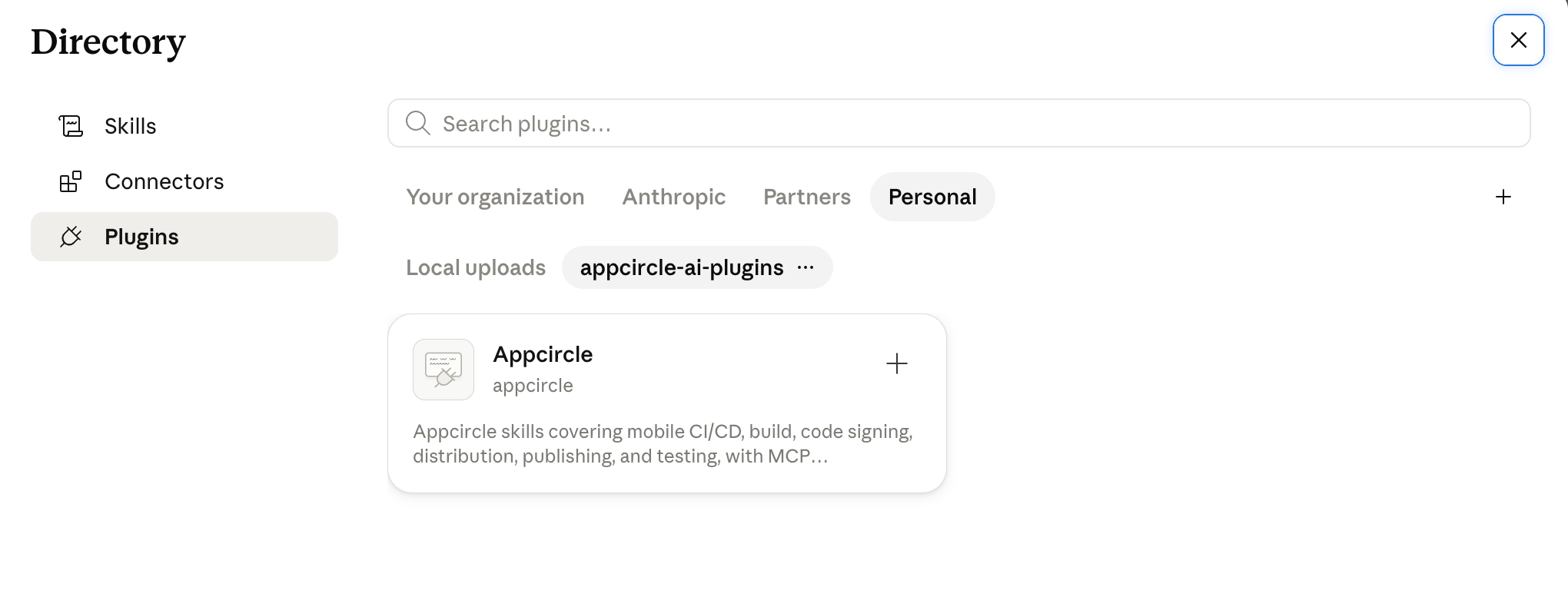
Click Sync, then click +.
-
Ask Claude an Appcircle question, for example How do I set up automatic code signing for my iOS builds, and Claude will use the
appcircle-assistantskill to answer.
To access the source code of this plugin, please use the following link: