Appcircle Copilot Assistant
The Appcircle Copilot Plugin connects GitHub Copilot to the Appcircle platform, bundling the Appcircle MCP Server with Appcircle-aware skills so you can ask Copilot about your Appcircle organization or how to use Appcircle.
How to Use Appcircle Copilot Assistant
The plugin registers the Appcircle MCP Server and the following Appcircle-aware skills:
| Skill | Purpose |
|---|---|
appcircle-assistant | Answers Appcircle questions using official sources (docs.appcircle.io and appcircle.io) |
build-insights-report | Renders a visual Build Insights Report (health & trends, root cause, workflow quality, artifact health, queue time, and CI maturity) from the get_build_insights_report MCP tool. See Build Insights for the full metric reference |
In GitHub Copilot CLI
- (Optional, for MCP tools) Before starting Copilot CLI, set your Appcircle Access Token in your shell so the MCP server can authenticate:
The MCP server reads this from the process environment, so it must be set before you launchexport APPCIRCLE_ACCESS_TOKEN=<your-access-token>
copilot; exporting it later in an already-running session has no effect until you restart. - Add the Appcircle marketplace:
copilot plugin marketplace add appcircleio/appcircle-ai-plugins
- Install the plugin:
copilot plugin install appcircle@appcircle-ai-plugins
- Ask Copilot an Appcircle question. For "how do I" or troubleshooting questions, for example "How do I set up automatic code signing for my iOS builds," Copilot uses the
appcircle-assistantskill. For questions about your own organization, for example "List my build profiles," Copilot uses the Appcircle MCP tools, which requires step 1.
In VS Code
-
(Optional, for MCP tools) Set your Appcircle Access Token so the bundled MCP server can authenticate. You can export it before launching VS Code, or supply it when prompted after installing the plugin.
-
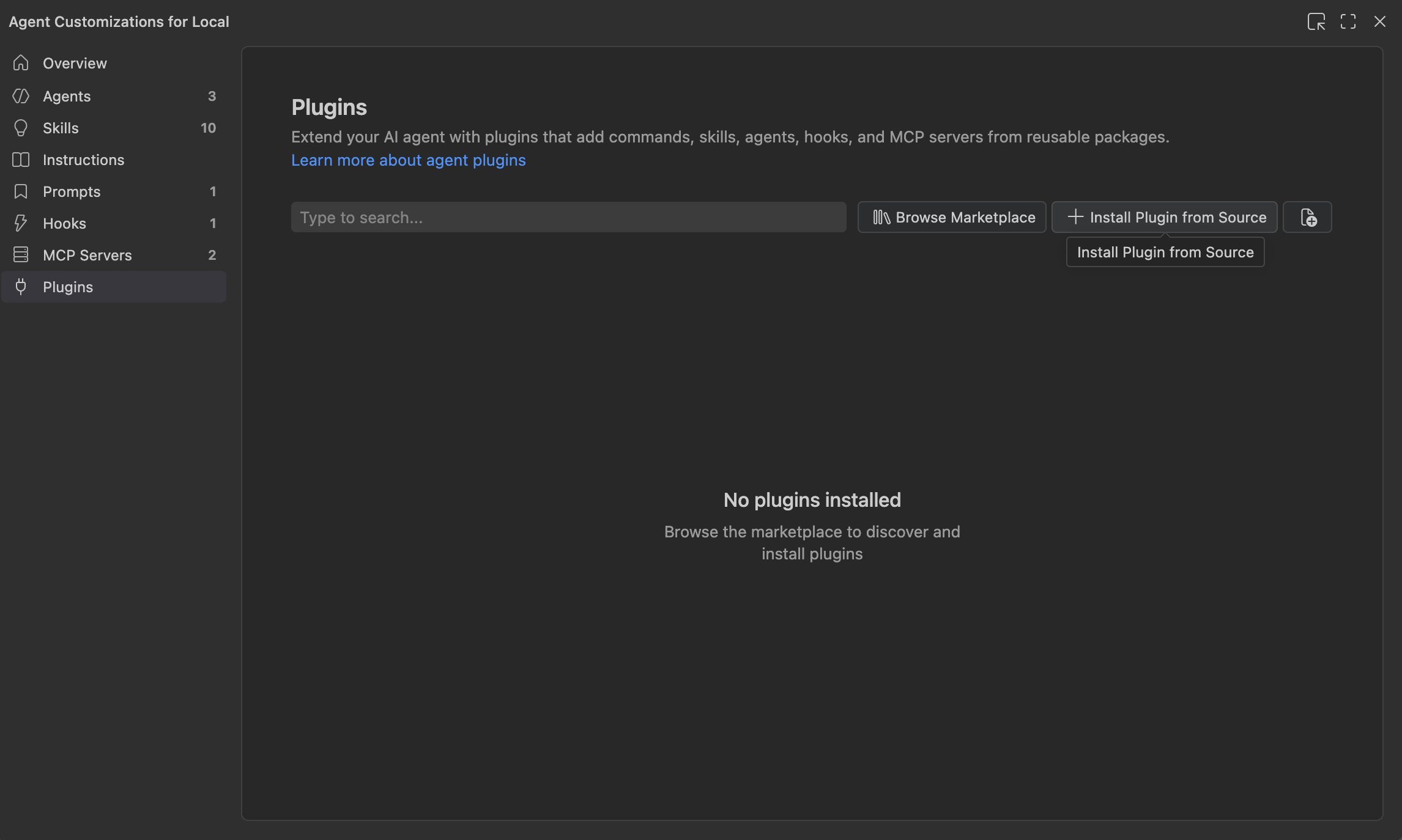
Click Chat Settings -> Plugins -> Install Plugin from Source.
-
Enter the repository URL:
https://github.com/appcircleio/appcircle-ai-plugins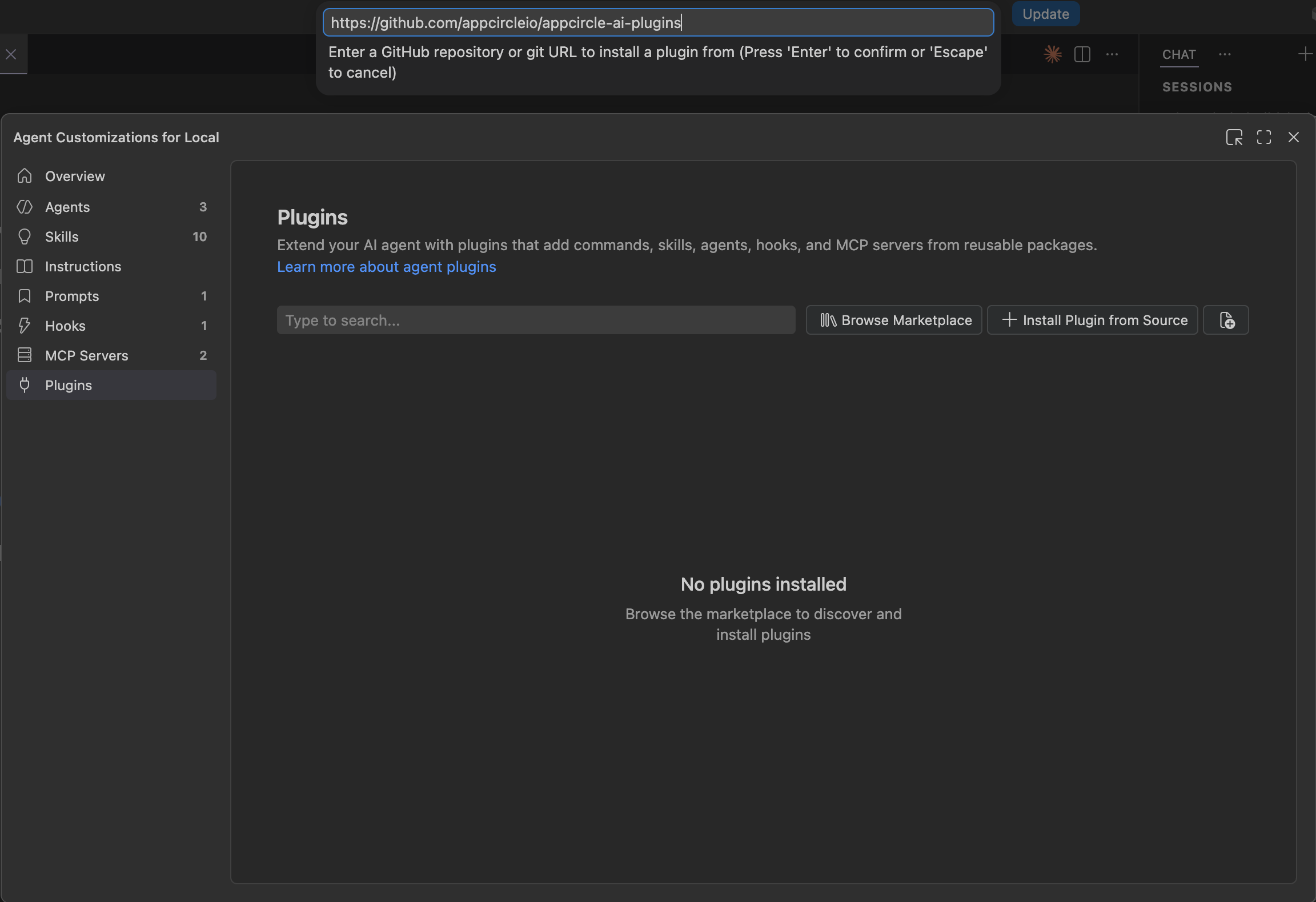
-
Open Copilot Chat and ask an Appcircle question, for example "How do I set up automatic code signing for my iOS builds" or "List my build profiles."
To access the source code of this plugin, please use the following link: