Appcircle ChatGPT and Codex Assistant
Appcircle offers two ways to work with Appcircle from OpenAI tools:
- Appcircle GPT Assistant: a custom GPT in ChatGPT that answers Appcircle questions, with step-by-step guidance and troubleshooting support.
- Appcircle Codex Plugin: a plugin for Codex and the ChatGPT desktop app that bundles the Appcircle MCP Server with Appcircle-aware skills, so you can ask about your own Appcircle organization or how to use Appcircle.
How to Use Appcircle GPT Assistant
The Appcircle GPT Assistant is available in ChatGPT:
-
Log in to your ChatGPT account.
-
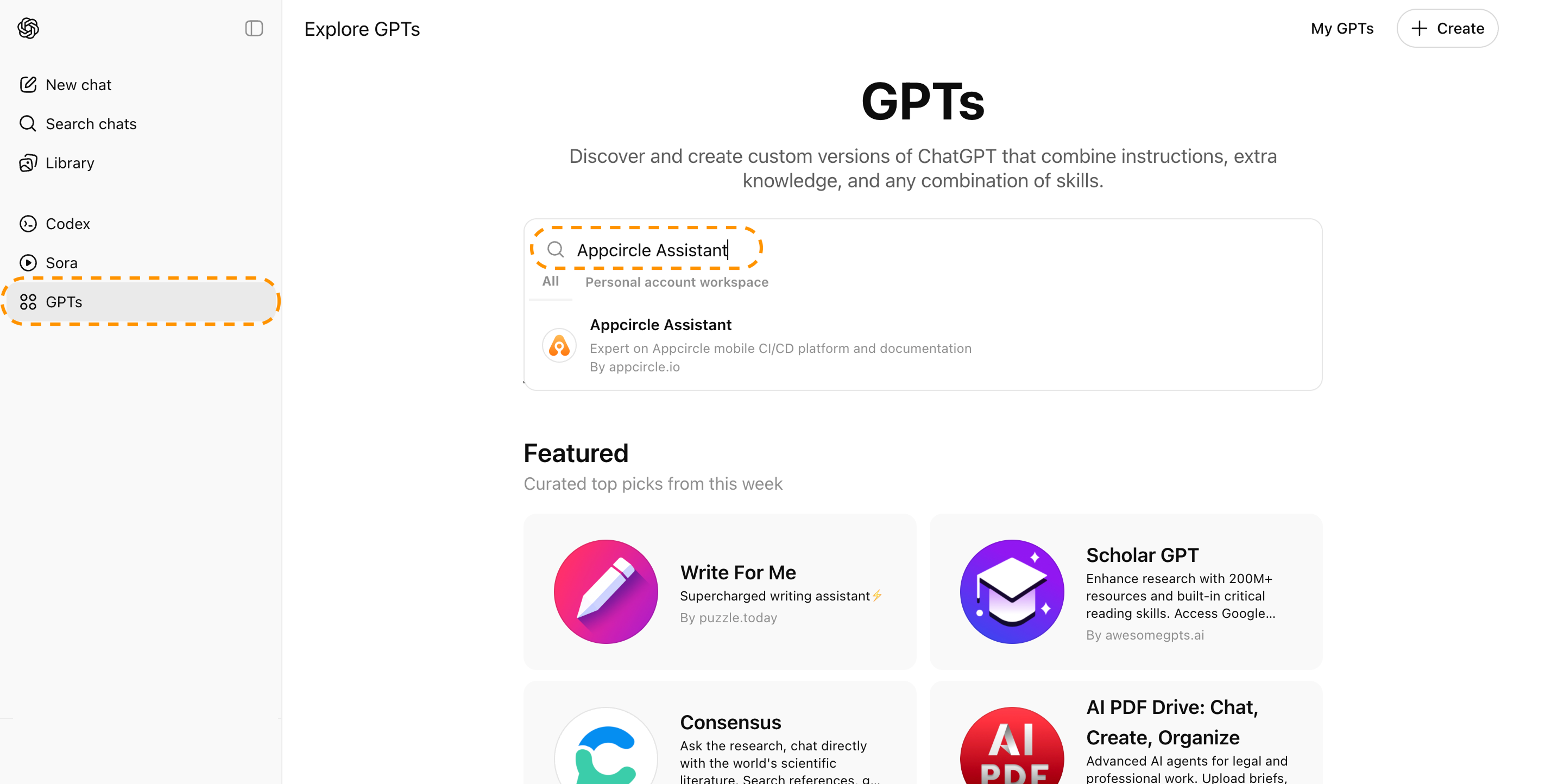
In the left-hand menu, click GPTs.
-
Use the search bar to type Appcircle Assistant.
-
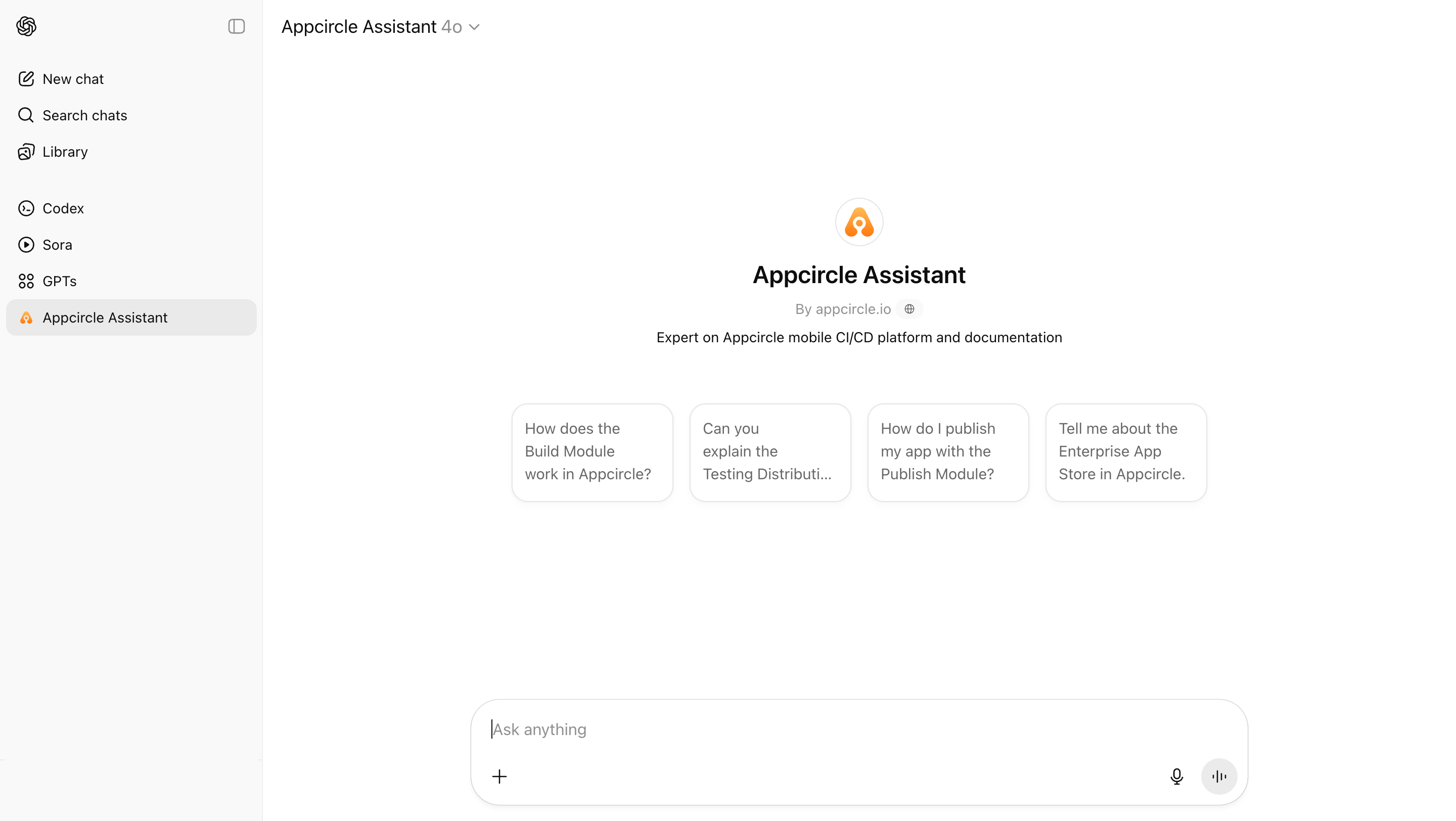
Click on it to open and start your conversation with the Appcircle GPT Assistant.
How to Use Appcircle Codex Plugin
The plugin registers the Appcircle MCP Server and the following Appcircle-aware skills:
| Skill | Purpose |
|---|---|
appcircle-assistant | Answers Appcircle questions using official sources (docs.appcircle.io and appcircle.io) |
build-insights-report | Renders a visual Build Insights Report (health & trends, root cause, workflow quality, artifact health, queue time, and CI maturity) from the get_build_insights_report MCP tool. See Build Insights for the full metric reference |
MCP tools are available in Codex. Installing the plugin in the ChatGPT desktop app gets you the skills, not the MCP tools.
Install the Plugin
- Add the Appcircle marketplace:
codex plugin marketplace add appcircleio/appcircle-ai-plugins
- Install the plugin:
- Codex CLI: run
/pluginsand install the Appcircle plugin. - ChatGPT desktop app: restart the app, open the Plugins Directory, pick the Appcircle source, and install the plugin.
- Codex CLI: run
- Ask an Appcircle question. For "how do I" or troubleshooting questions, for example "How do I set up automatic code signing for my iOS builds," Codex uses the
appcircle-assistantskill. For questions about your own organization, for example "List my build profiles," Codex uses the Appcircle MCP tools, which need the MCP server connected below.
Connect the MCP Server in Codex
The plugin can't pass your token to the MCP server in Codex, so register the server yourself by following the Codex installation guide. It covers Appcircle Cloud and self-hosted Appcircle servers, and replaces the plugin's own appcircle entry.
To access the source code of this plugin, please use the following link: