Organization Activity
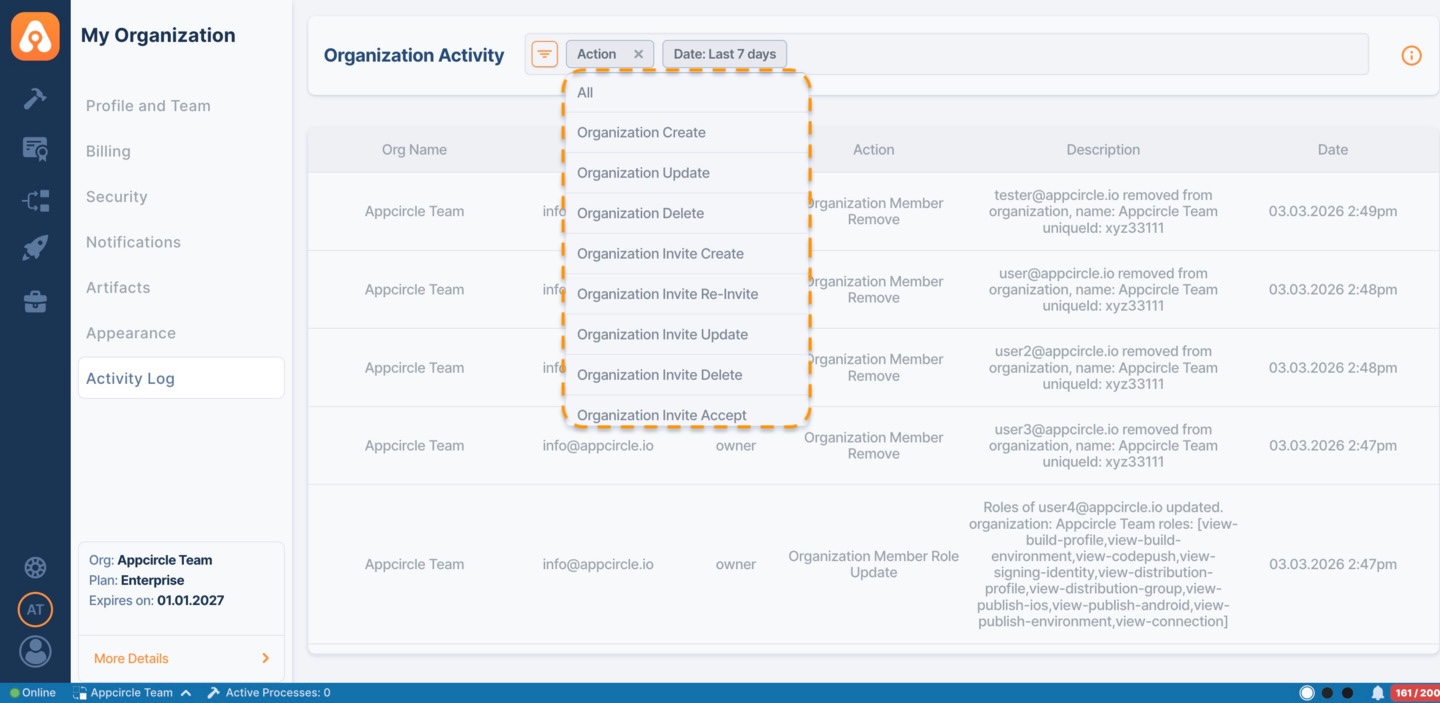
You can view team management actions such as creating, deleting, and adding members to Organizations or Sub Organizations in the Organization Activity section within the My Organization area.
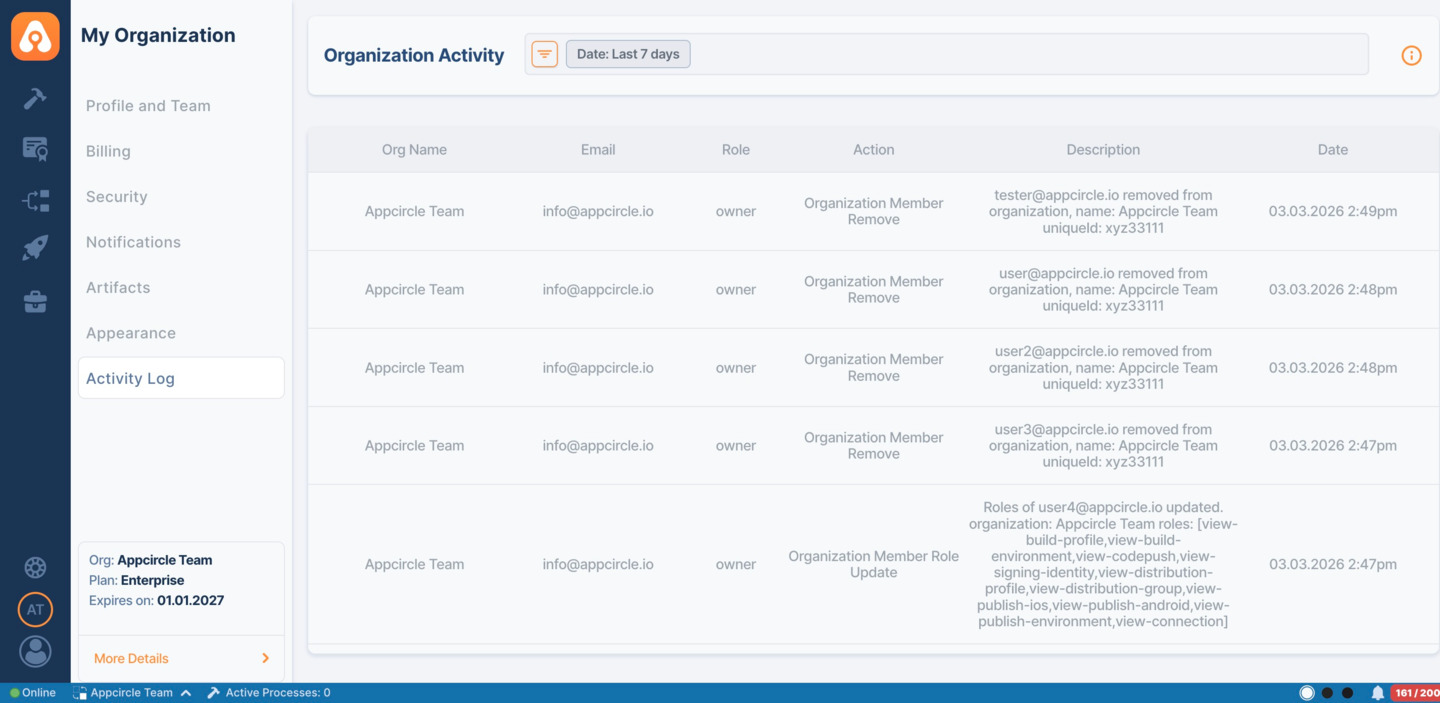
Here is the full list of actions that can be monitored:
- Organization Create
- Organization Update
- Organization Delete
- Organization Invite Create
- Organization Invite Re-Invite
- Organization Invite Update
- Organization Invite Delete
- Organization Invite Accept
- Organization Member Assign
- Organization Member Remove
- Organization Member Leave
- Organization Member Role Update
- Organization PAT Create
- Organization PAT Revoke
- Organization API Key Create
- Organization API Key Update
- Organization API Key Revoke
- Organization API Key Rotate
- LDAP Group Mapping Create
- LDAP Group Mapping Delete
- LDAP Role Mapping Create
- LDAP Role Mapping Update
- LDAP Role Mapping Delete
Only Organization / Sub-Organization Owners and users with Organization Management Role will have access to this area.
Information about other Organizations and their Sub-Organizations will not be accessible without the required level of clearance.
Organization Owners can also observe the team activity actions of their Sub-Organizations.
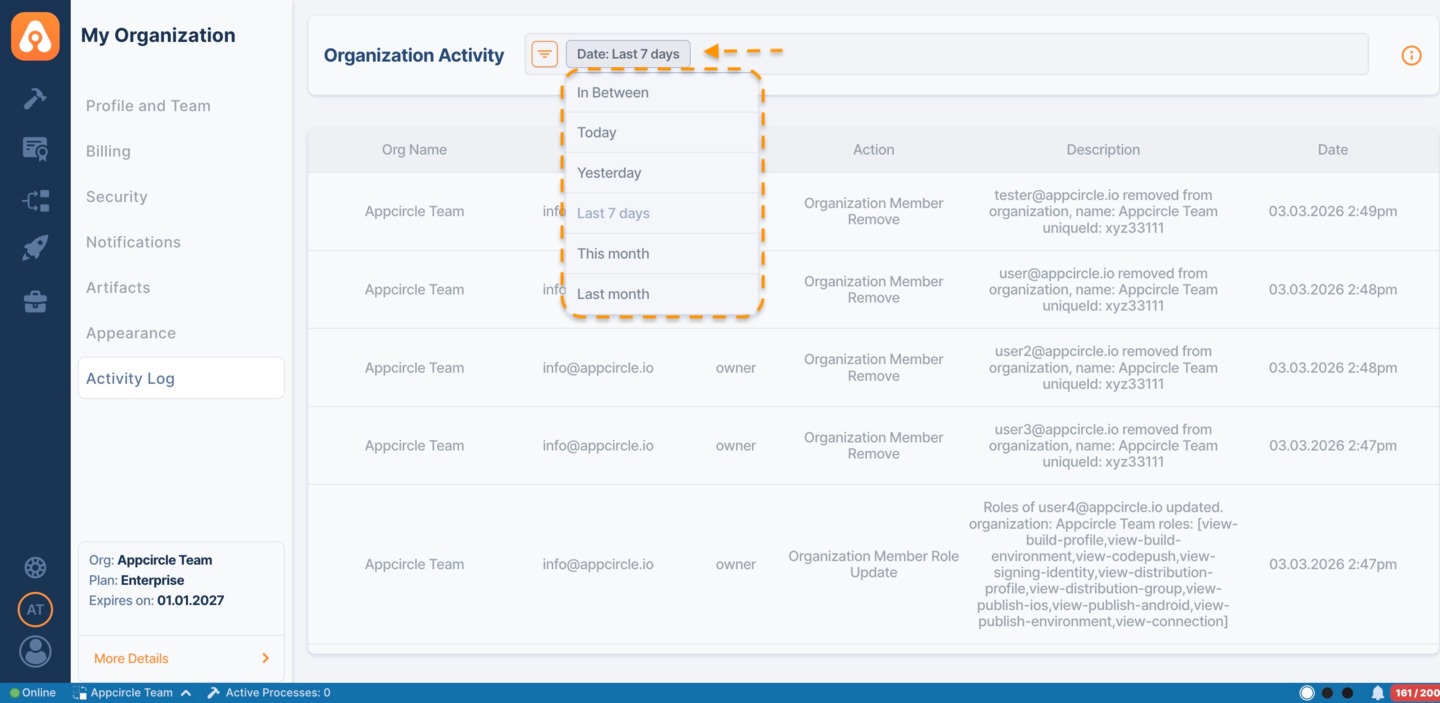
You can edit the required date range by clicking the Filter button and choosing a date option from various options.
Organization Activity also include filters to help users perform more precise searches. By clicking the Filter button and choosing Organization: 'All' option, you can select a specific organization or sub-organization from the list, provided you have access to monitor their organization activity.
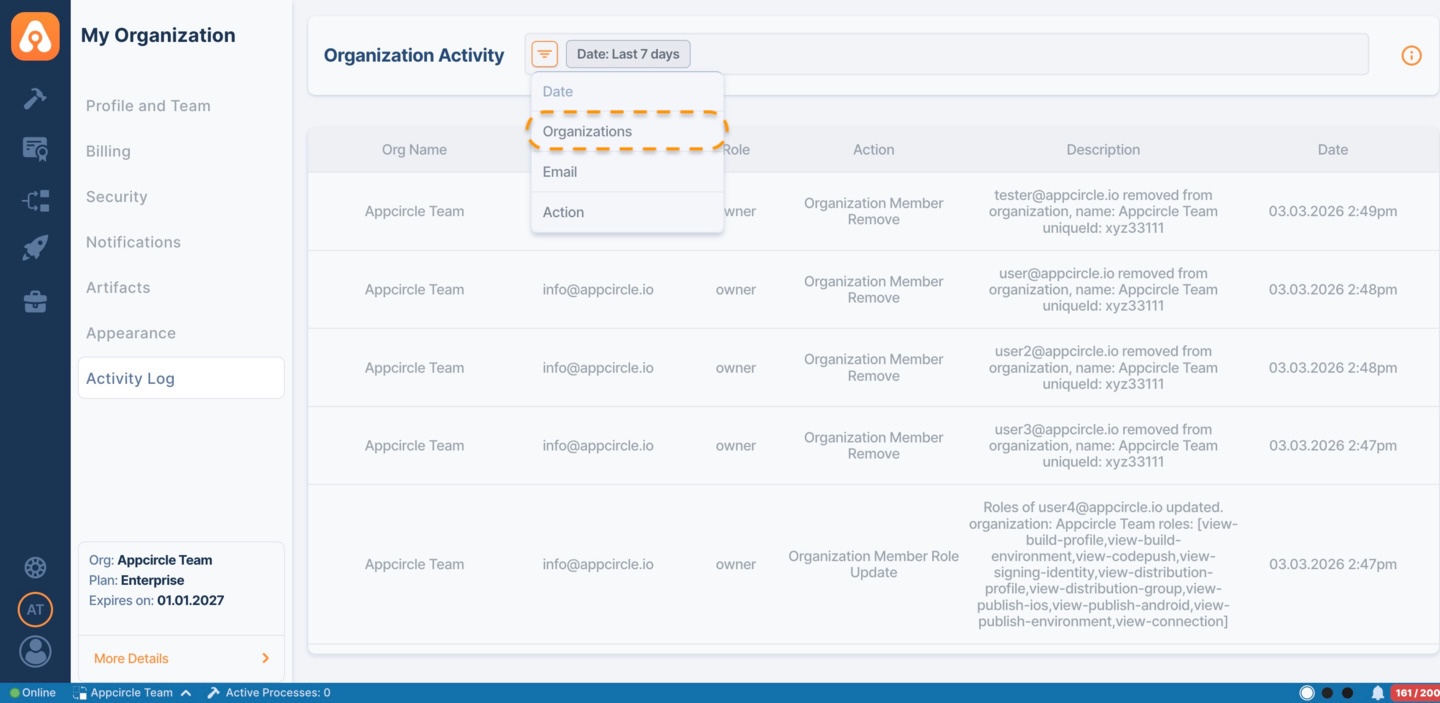
Another method to search is by Actions. Simply click the Filter button and select Actions. Then choose a specific action to refine your search.