Email Notifications and Subscription Management
This feature allows users with specified email addresses to be notified by email of the actions specified in Appcircle (starting a build, adding an IOS certificate, the store submission process, etc.).
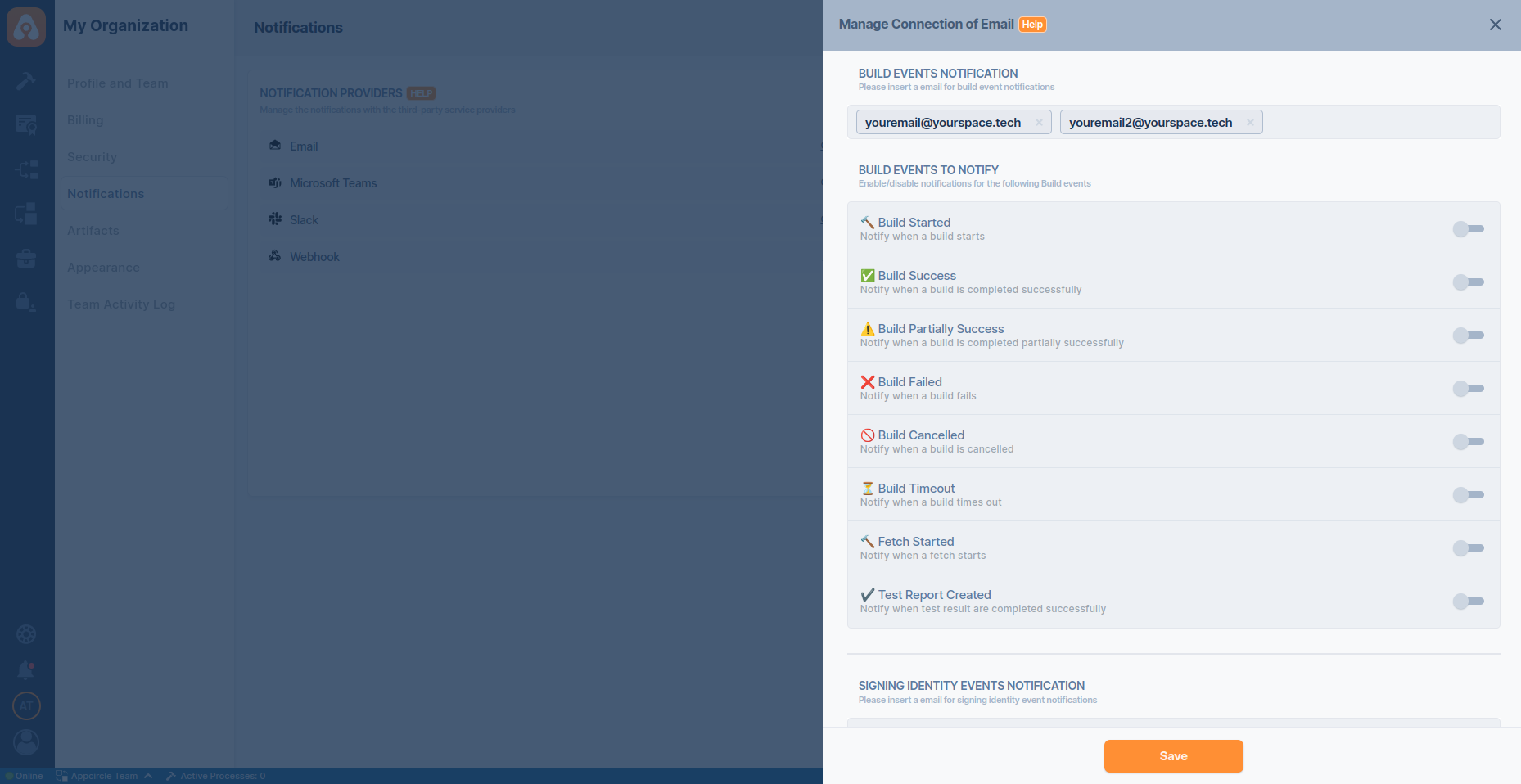
Appcircle email notification can work independently for each module. For example, you can send notifications to different people for events under the Build module and to different people for store submission operations.
You can also define more than one email address for a module and send notifications. Scroll down and check out the other modules that you can tweak.
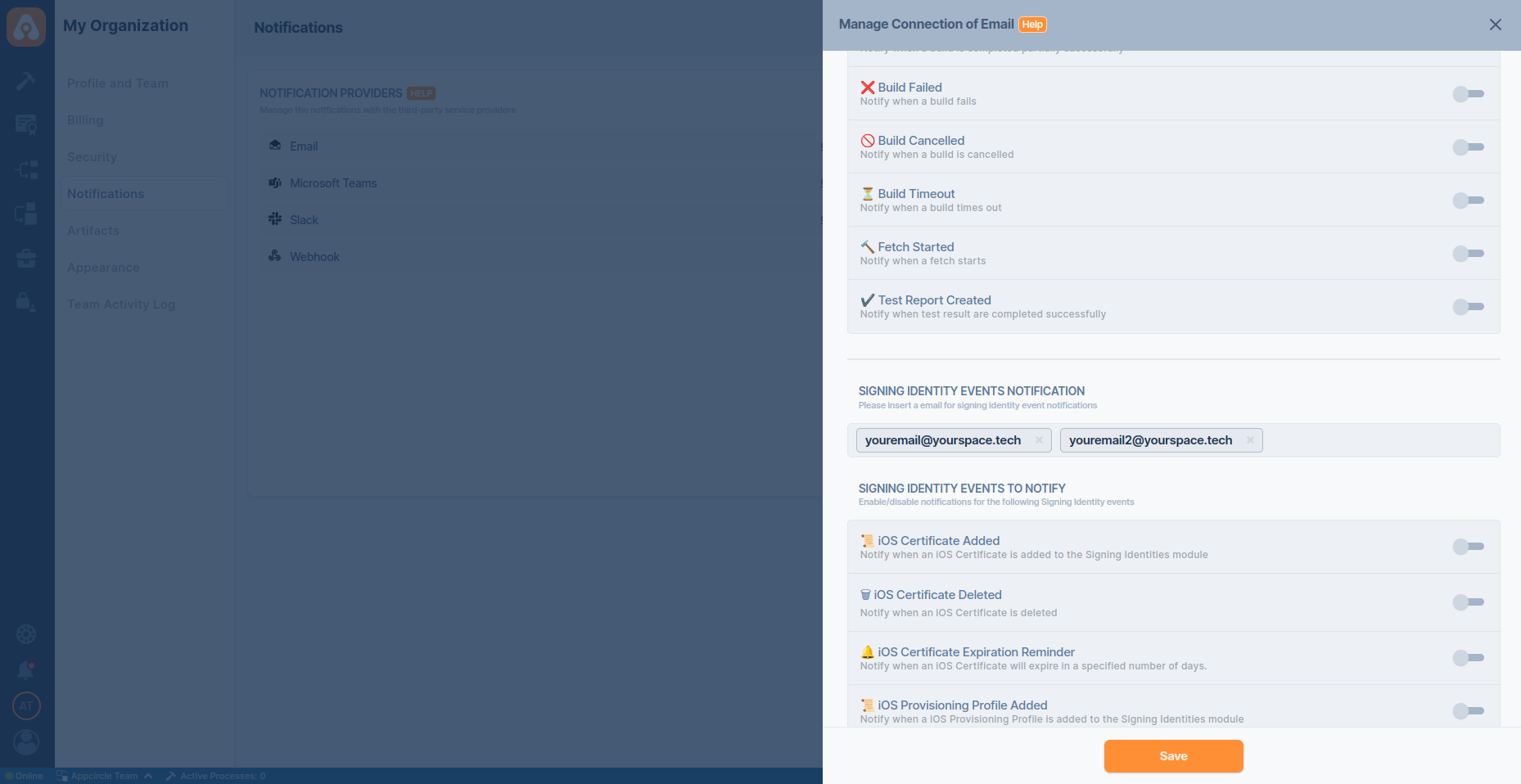
After completing the specified action in Appcircle, you have the option to share release notes via email. To enable this feature, ensure you include the Publish Release Notes step in your workflow.
Additionally, note that you can access download links for the release notes for a duration of 90 days.
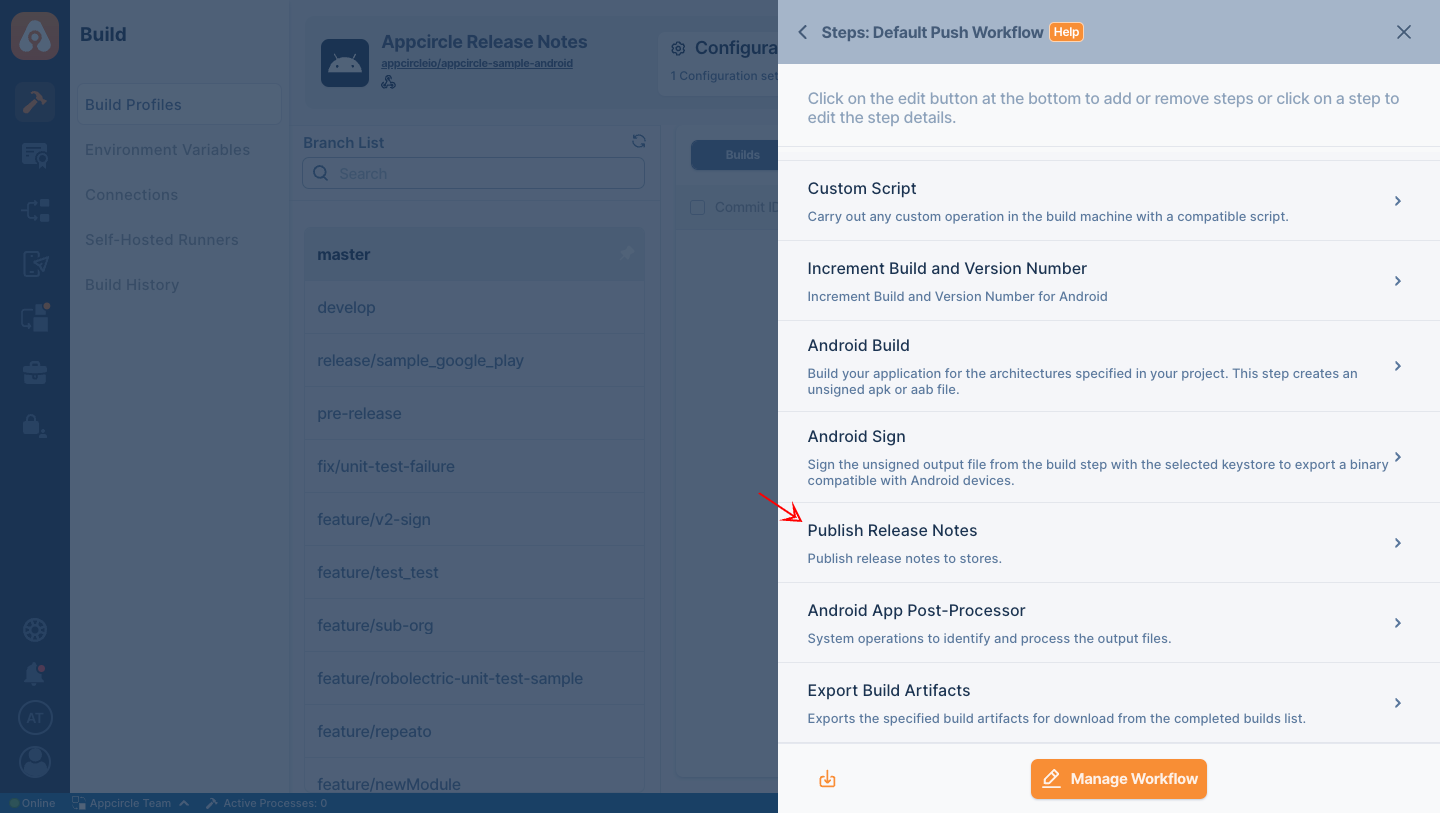
After completing the specified action in Appcircle, you have the option to share the test results via email. To enable this feature, ensure you include the Test Reports step in your workflow.
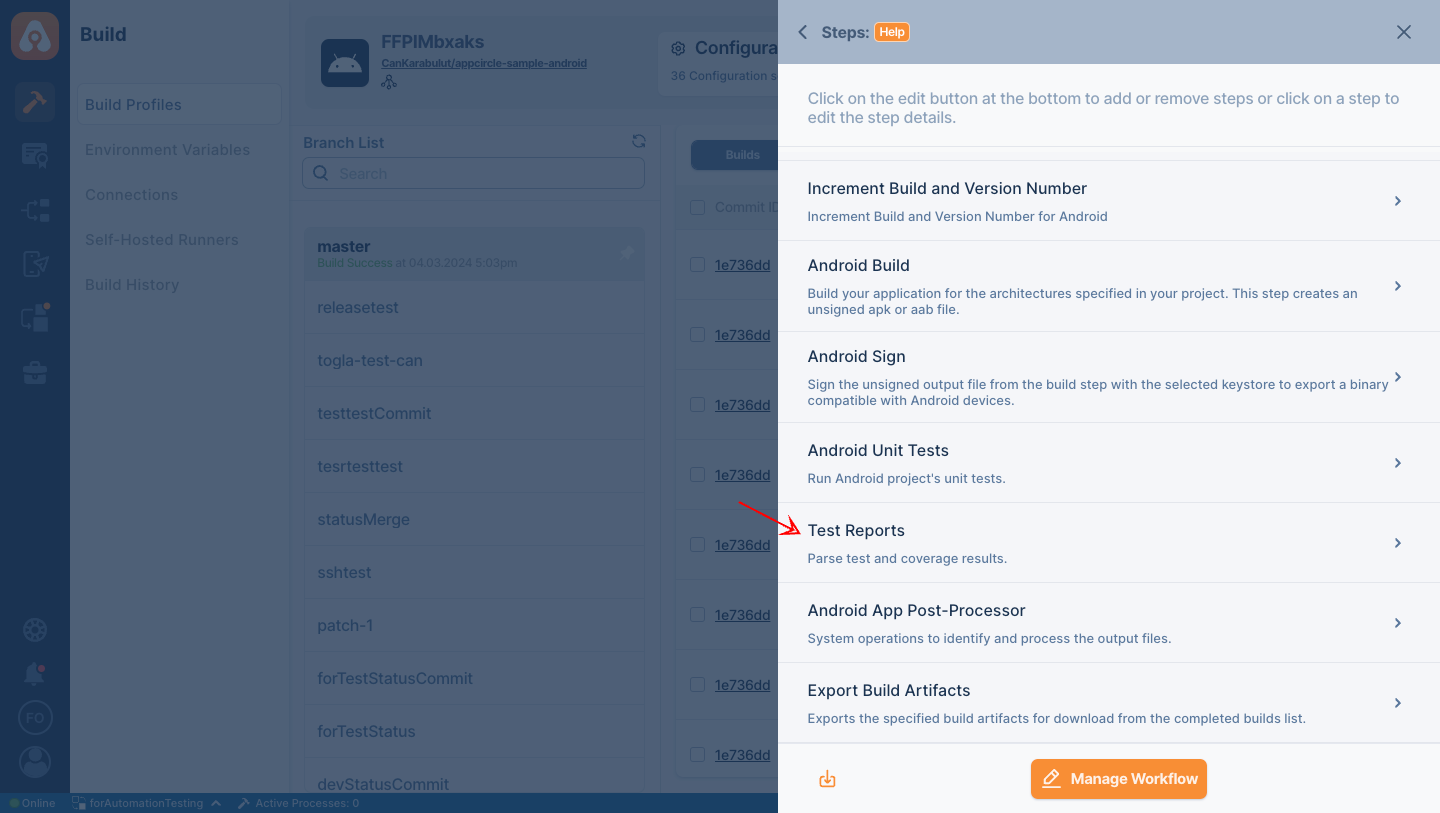
Available Notification Events by Module
Appcircle allows you to configure email notifications separately for each module. Each module supports a set of predefined events that can trigger email notifications. You can subscribe one or more email addresses to these events based on your needs.
Below is a high-level overview of the notification event categories per module. You can customize the event list according to your workflow and organizational requirements.
Build Module
The Build module can send notifications for key build lifecycle events, such as:
Build Events
- Build Started
- Build Success
- Build Complete with Warnings
- Build Failed
- Build Canceled
- Build Timeout
- Fetch Started
- Test Report Created
- Build Cache Cleared
License Events
- Retention Policy Updated
CodePush Events
- CodePush App Created
- CodePush Deployment Created
- CodePush App Deleted
- CodePush Deployment Channel Deleted
- New CodePush Release Published
- CodePush Release Disabled
- CodePush Release Enabled
- CodePush Release Rolled Back
- CodePush Rollout Updated
Signing Identity
Notifications related to certificate, keystore, and provisioning profile operations, such as:
- iOS Certificate Added
- iOS Certificate Deleted
- iOS Certificate Expiration Reminder
- iOS Provisioning Profile Added
- iOS Provisioning Profile Deleted
- iOS Provisioning Profile Expiration Reminder
- Android Keystore Created
- Android Keystore Uploaded
- Android Keystore Deleted
- Android Keystore Expiration Reminder
- Apple Device List Fetch Success
- Apple Device Registered
- Apple Device Updated
- Apple Multiple Devices Updated
- Apple Multiple Devices Registered
- Apple Device Provisioned
- Apple Device Unregistered
- Apple Identifier Created
- Apple Identifier Deleted
- Apple Identifier Created in Apple Developer Portal
- Apple Identifier Updated in Apple Developer Portal
Testing Distribution
Notifications for Testing Distribution related events such as:
- New Version Added for Distribution
- New Version Uploaded for Distribution
- App Shared for Testing Distribution
Publish to Stores
Notifications for Publish to Stores related events such as:
- Store Status Changed
- New Version Deployed to Publish
- New Version uploaded to Publish
- A Version is Rejected on Publish
- Publish Step is Starting
- Publish Step is Restarting
- Publish Step Started
- Publish Step Succeeded
- Publish Flow Updated
- Publish Step Failed
- Publish Step Canceled
- Publish Step Timed Out
- Publish Flow Failed
- Publish Flow Canceled
- Publish Flow Timed Out
- Publish Flow Succeeded
Enterprise App Store
Notifications for Enterprise App Store related events such as:
- New Version Deployed to the Enterprise Store
- New Version Uploaded to the Enterprise Store
- App Shared on Enterprise Store
Re-sign
Notifications for binary re-sign actions throughout each supporting module.
- Initializing Re-sign
- Re-sign Successful
- Re-sign Failed
- Re-sign Canceled
Email Notifications: Unsubscribe
To cancel email notifications, you can click the unsubscribe button in the notification email, or you can delete the email address for the relevant module by following the steps below:
My Organization -> Notifications -> Email -> Manage
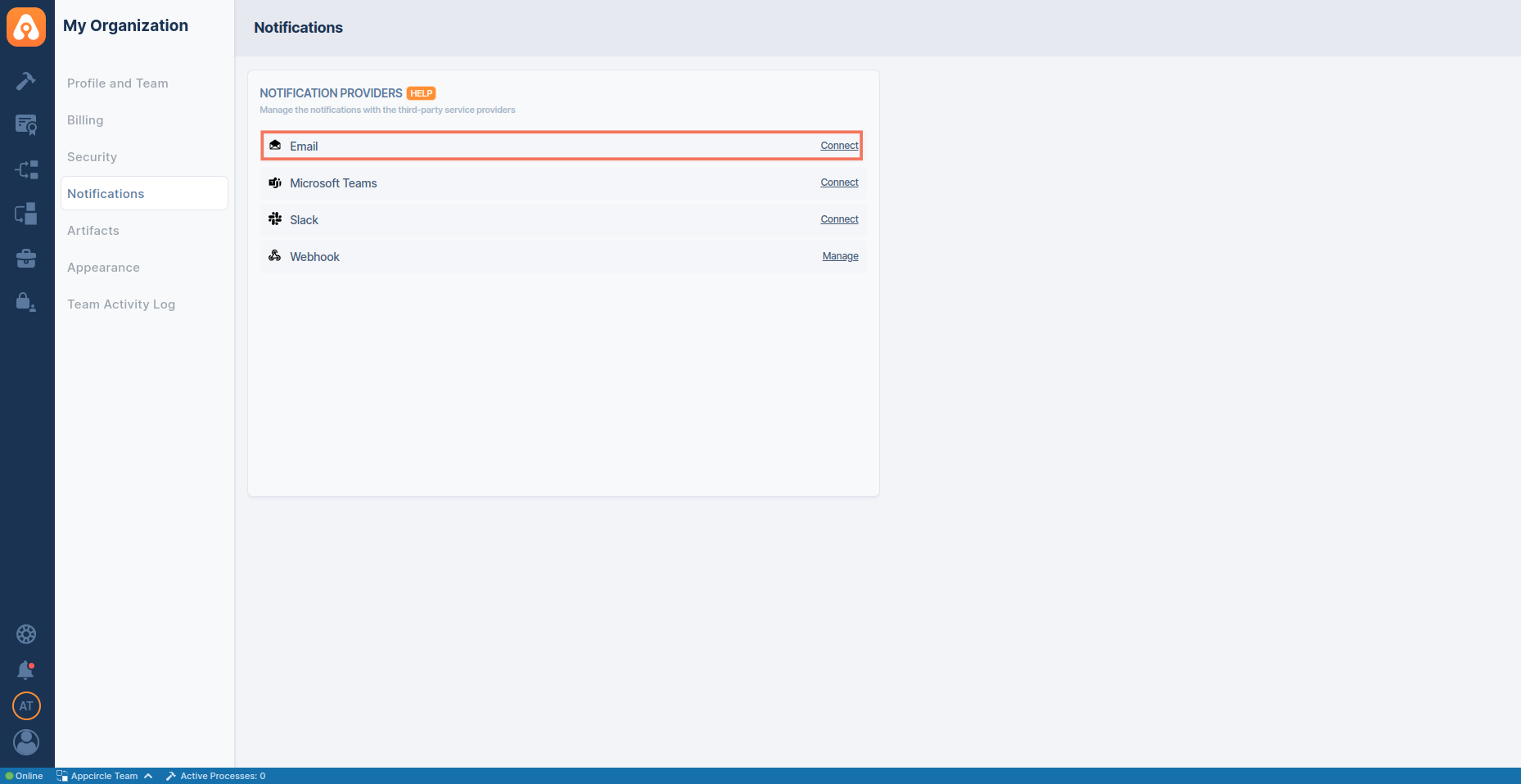
If the user unsubscribes via email, the relevant email will be deleted directly from the module. If you want to send notifications, you will need to add the email address again.