Slack Notifications
Appcircle supports sending notifications to Slack for the major events in all modules. You can connect Appcircle to your Slack workspace to set up module based event notifications to be sent to the selected channels.
There is currently no Slack integration available on the self-hosted Appcircle. However, we are actively working on it and it will be available for use on the self-hosted Appcircle in the near future.
Connecting Appcircle to Slack
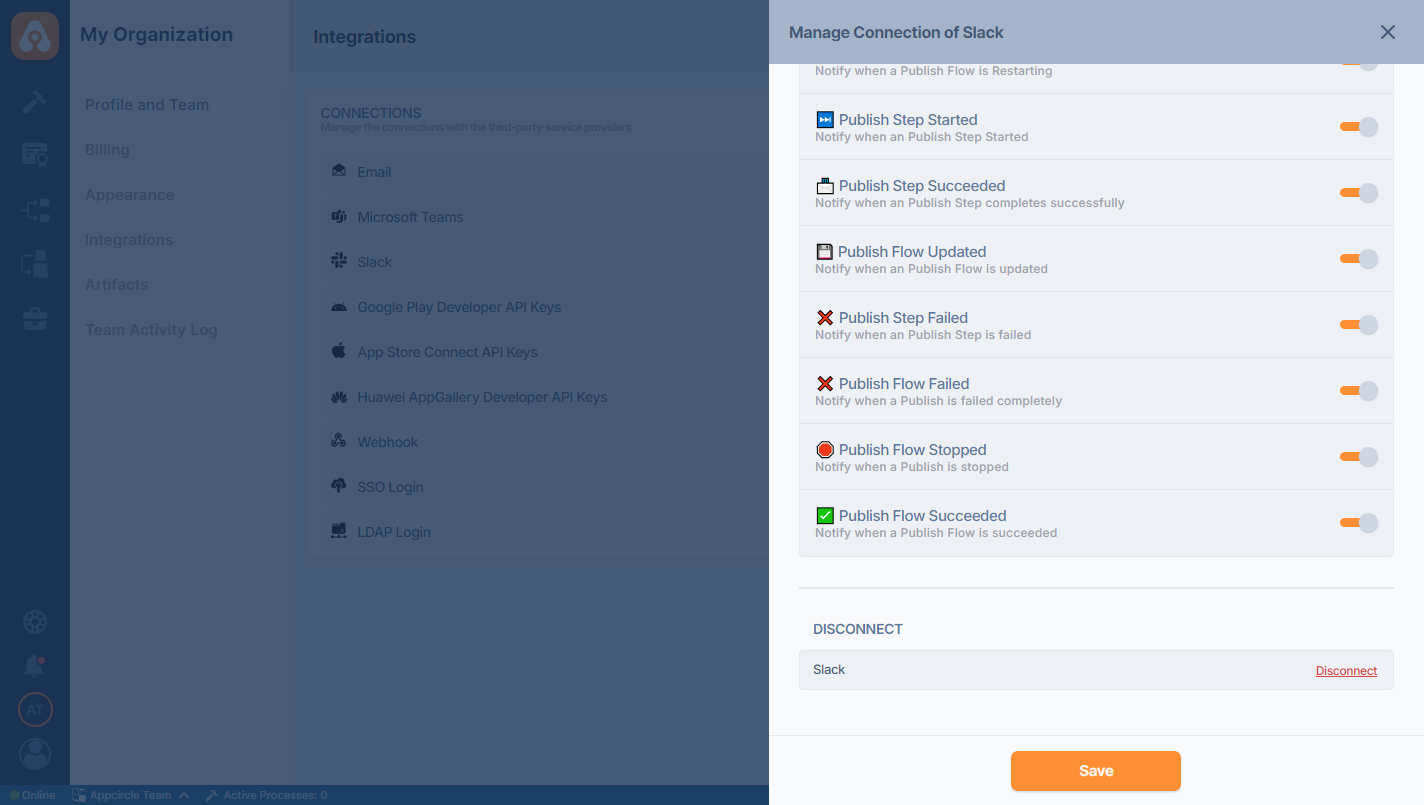
An Appcircle organization can be associated with a single Slack workspace. To start, go to My Organization > Notifications screen and press the Connect button next to Slack under the Notification Providers section.
Provide permission to the Appcircle app on Slack so that the channel list can be fetched for selection and the status can be sent as a message.
.png)
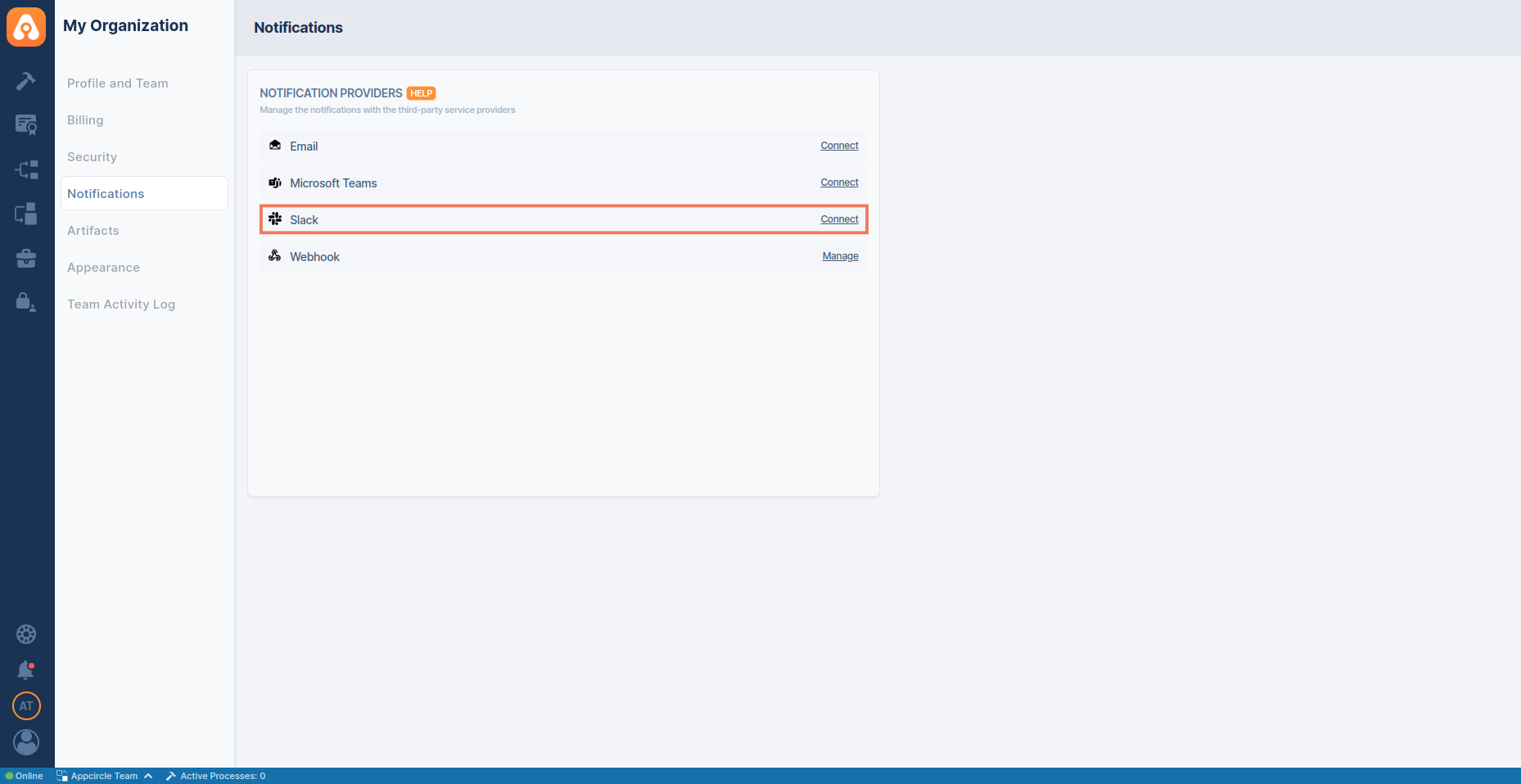
You will then see that Slack is connected. To manage the notification settings or to disconnect, press the "Manage" button.
Setting Up Module-Based Notifications in the Slack Settings
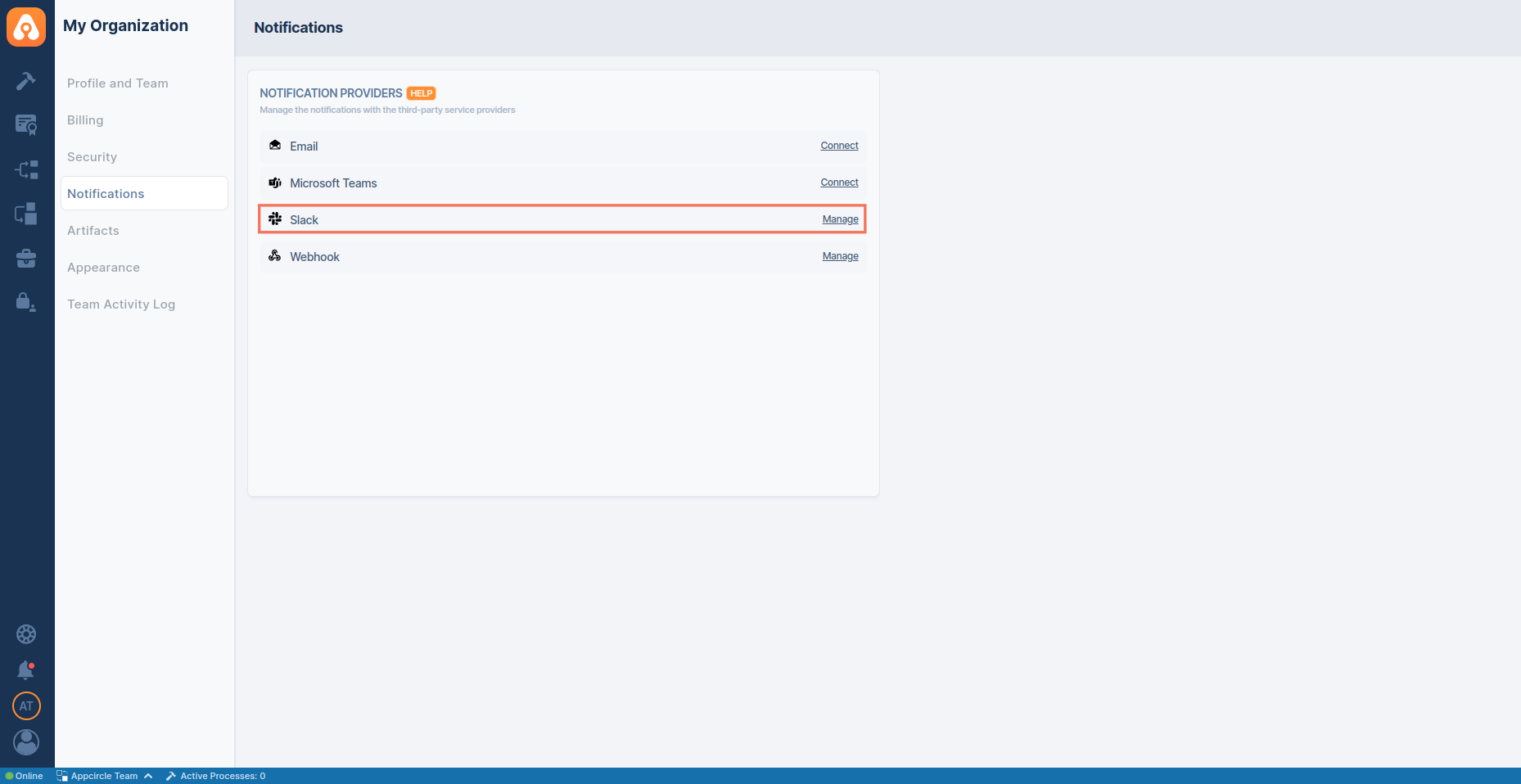
You can set up notifications for the major events in each module (Build, Signing Identities, Distribute and Store Submission).
To enable notifications for a specific event, first select the Slack channel that will receive the notifications for the specific module and then use the toggle to enable the event notifications.
Due to a technical limitation, subscribing events to a private Slack channel(s) is not possible at this moment.
You can customize which Slack events to get by selecting or deselecting specific events. You can also set different Slack channels for different kinds of events.
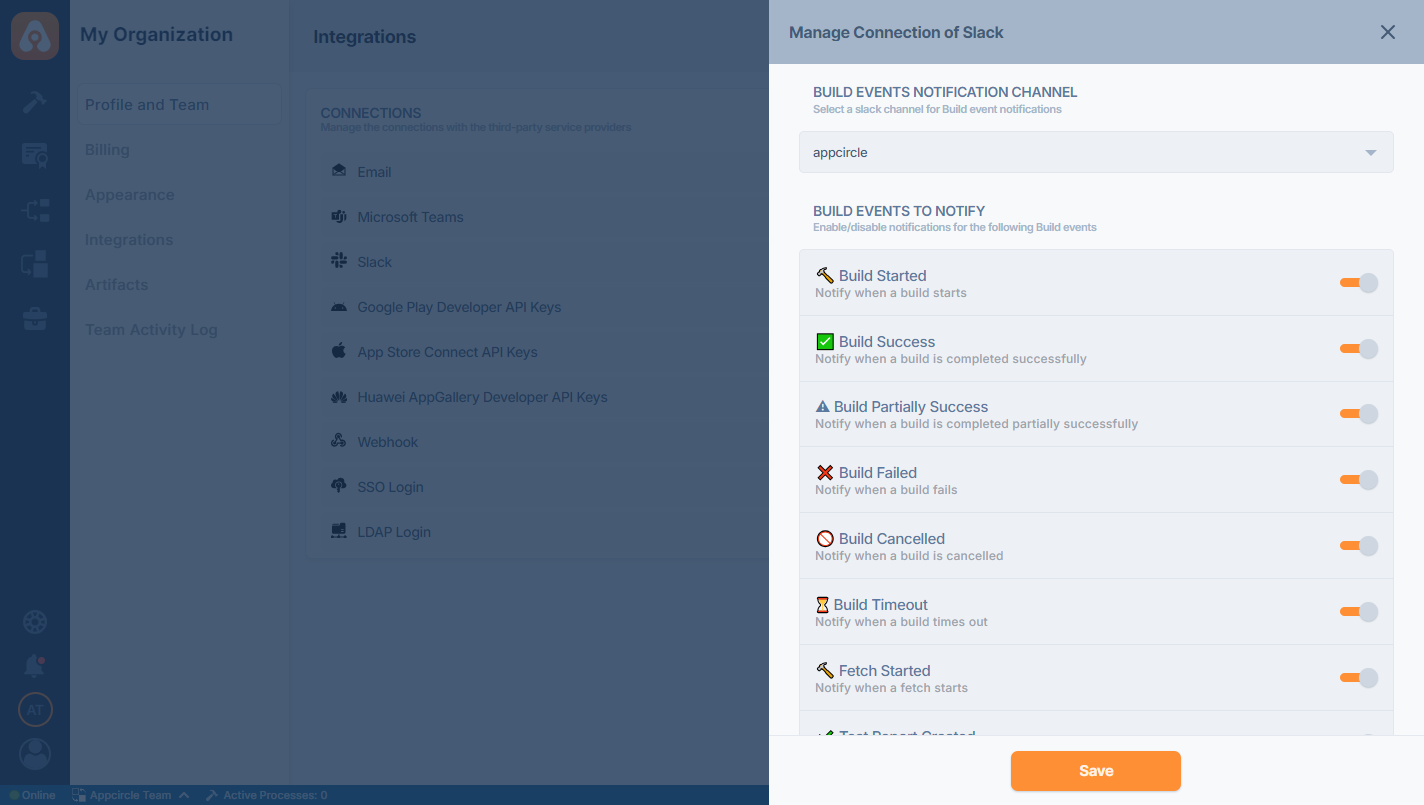
Keep scrolling down on Appcircle to see the full list of events.
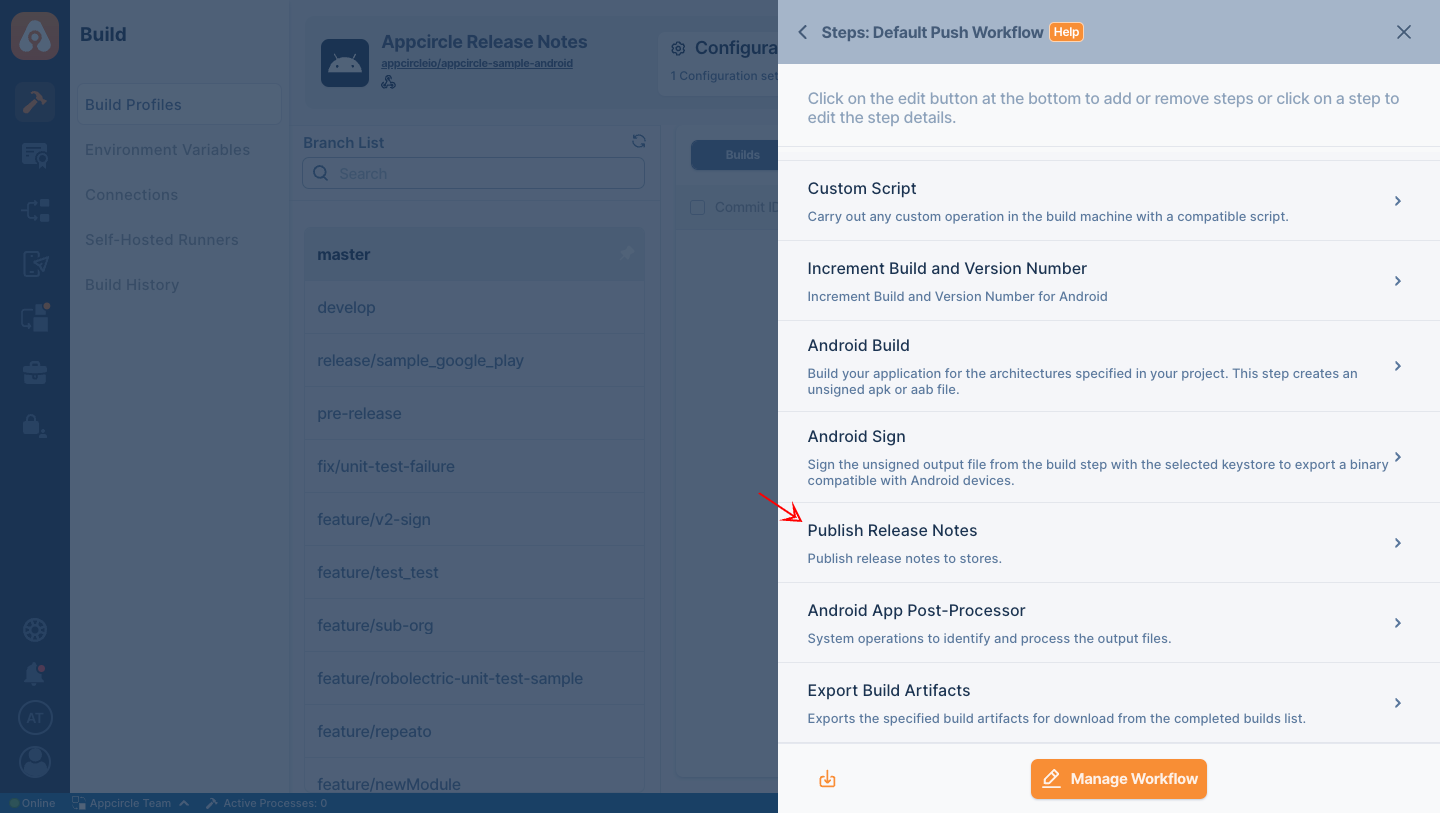
After completing the specified action in Appcircle, you have the option to share release notes via Slack. To enable this feature, ensure you include the Publish Release Notes step in your workflow.
Additionally, note that you can access download links for the release notes for a duration of 90 days.
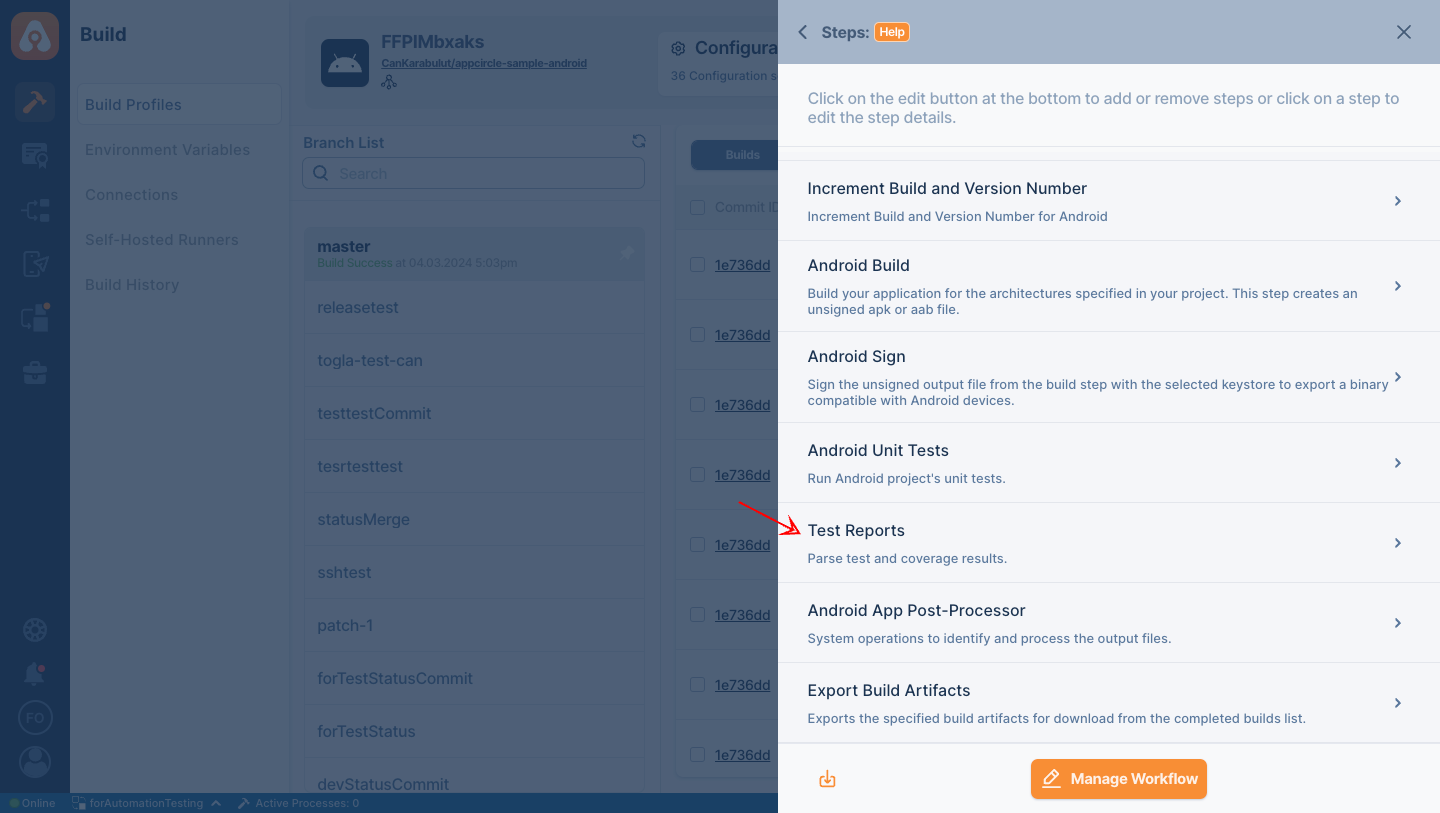
After completing the specified action in Appcircle, you have the option to share the test results via Slack. To enable this feature, ensure you include the Test Reports step in your workflow.
Available Notification Events by Module
Appcircle allows you to configure Slack notifications separately for each module. Each module supports a set of predefined events that can trigger Slack notifications. You can subscribe different Slack Channels for each module to receive these events based on your needs.
Below is a high-level overview of the notification event categories per module. You can customize the event list according to your workflow and organizational requirements.
Build Module
The Build module can send notifications for key build lifecycle events, such as:
Build Events
- Build Started
- Build Success
- Build Complete with Warnings
- Build Failed
- Build Canceled
- Build Timeout
- Fetch Started
- Test Report Created
- Build Cache Cleared
License Events
- Retention Policy Updated
CodePush Events
- CodePush App Created
- CodePush Deployment Created
- CodePush App Deleted
- CodePush Deployment Channel Deleted
- New CodePush Release Published
- CodePush Release Disabled
- CodePush Release Enabled
- CodePush Release Rolled Back
- CodePush Rollout Updated
Signing Identity
Notifications related to certificate, keystore, and provisioning profile operations, such as:
- iOS Certificate Added
- iOS Certificate Deleted
- iOS Certificate Expiration Reminder
- iOS Provisioning Profile Added
- iOS Provisioning Profile Deleted
- iOS Provisioning Profile Expiration Reminder
- Android Keystore Created
- Android Keystore Uploaded
- Android Keystore Deleted
- Android Keystore Expiration Reminder
- Apple Device List Fetch Success
- Apple Device Registered
- Apple Device Updated
- Apple Multiple Devices Updated
- Apple Multiple Devices Registered
- Apple Device Provisioned
- Apple Device Unregistered
- Apple Identifier Created
- Apple Identifier Deleted
- Apple Identifier Created in Apple Developer Portal
- Apple Identifier Updated in Apple Developer Portal
Testing Distribution
Notifications for Testing Distribution related events such as:
- New Version Added for Distribution
- New Version Uploaded for Distribution
- App Shared for Testing Distribution
Publish to Stores
Notifications for Publish to Stores related events such as:
- Store Status Changed
- New Version Deployed to Publish
- New Version uploaded to Publish
- A Version is Rejected on Publish
- Publish Step is Starting
- Publish Step is Restarting
- Publish Step Started
- Publish Step Succeeded
- Publish Flow Updated
- Publish Step Failed
- Publish Step Canceled
- Publish Step Timed Out
- Publish Flow Failed
- Publish Flow Canceled
- Publish Flow Timed Out
- Publish Flow Succeeded
Enterprise App Store
Notifications for Enterprise App Store related events such as:
- New Version Deployed to the Enterprise Store
- New Version Uploaded to the Enterprise Store
- App Shared on Enterprise Store
Re-sign
Notifications for binary re-sign actions throughout each supporting module.
- Initializing Re-sign
- Re-sign Successful
- Re-sign Failed
- Re-sign Canceled
Disconnecting Slack
If you want to disconnect or reauthorize the Slack connection, scroll down to the end of the management screen and press the "Disconnect" button.