Auth Activity Log
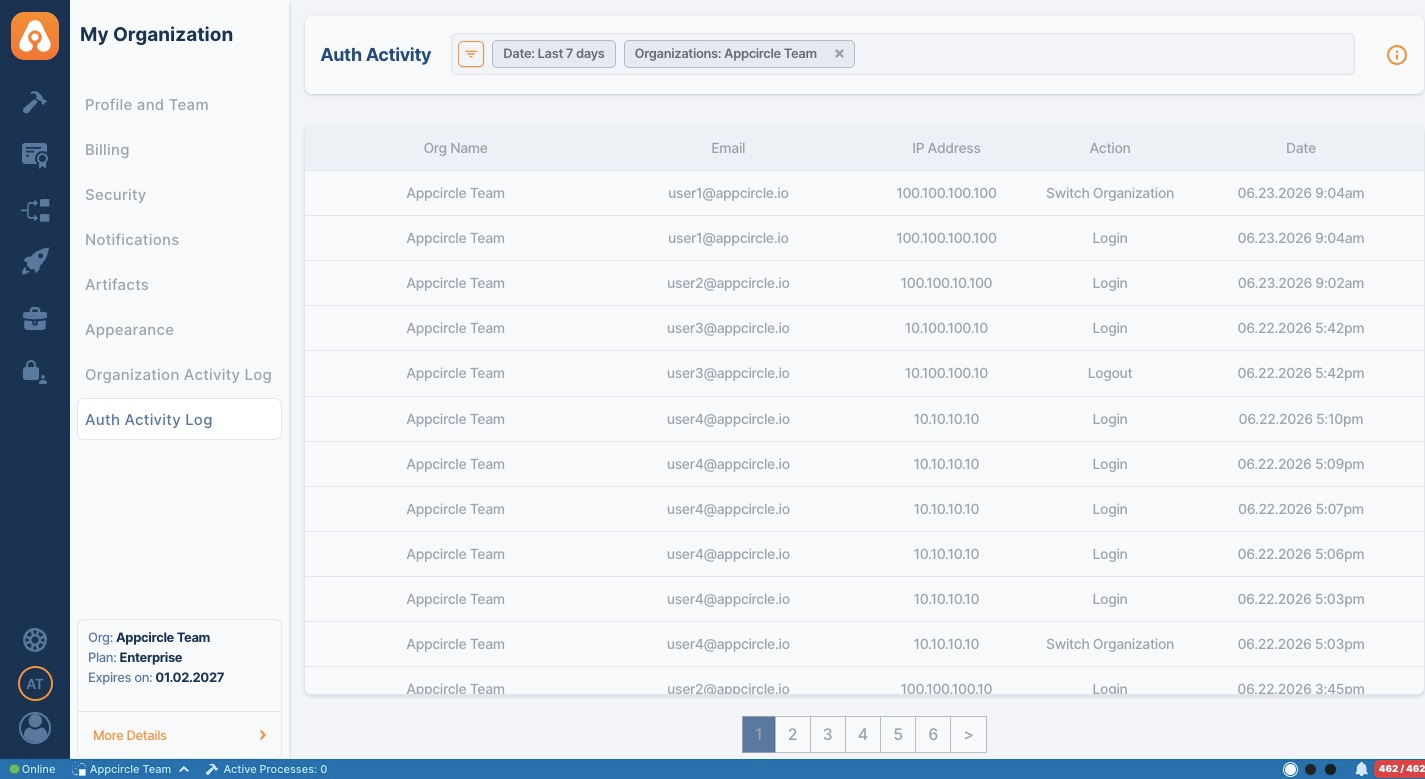
The Auth Activity Log provides visibility into authentication-related actions performed within your organization. It helps organization owners and authorized members monitor user access activity, including logins, logouts, and organization switches.
You can access the Auth Activity Log by navigating to My Organization > Auth Activity Log.
Overview
The Auth Activity Log displays authentication events generated by organization members who access Appcircle using standard Appcircle credentials. Each record includes:
- Organization name
- User e-mail address
- IP address
- Authentication action
- Event date and time
Tracked Actions
The Auth Activity Log records the following authentication events:
| Action | Description |
|---|---|
| Login | Recorded when a user successfully signs in to Appcircle. |
| Logout | Recorded when a user signs out of Appcircle. |
| Switch Organization | Recorded when a user switches between organizations they have access to. |
Filtering Activity Records
You can filter activity records to quickly find specific events.
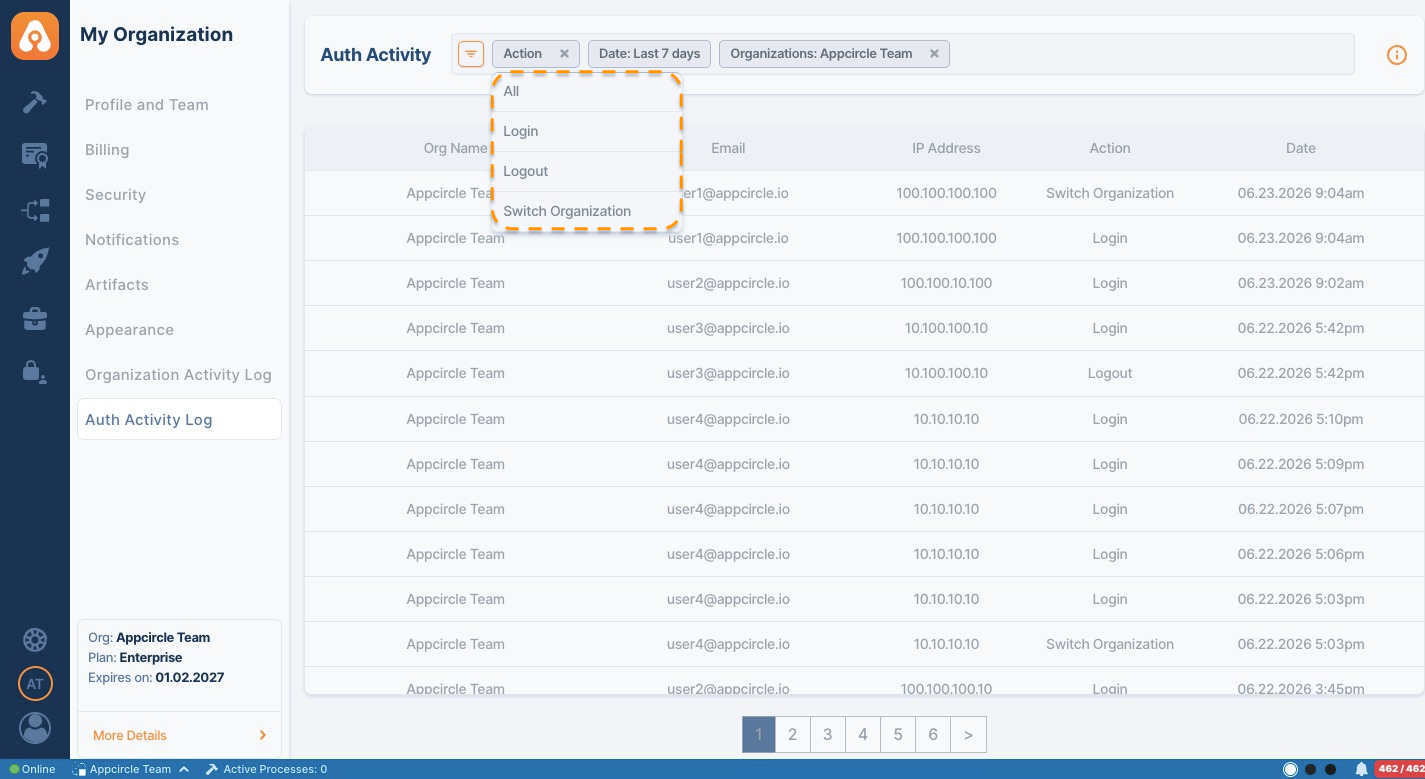
Available filters include:
- Date: Filter records by a selected time range.
- Organization: Display activities from specific organizations.
- Action: Filter by authentication action type, such as Login, Logout, or Switch Organization.
Multiple filters can be applied simultaneously to narrow down the results.
The Auth Activity Log tracks authentication events generated through Appcircle's standard login mechanism.
Users who authenticate through Single Sign-On (SSO) are not listed as login events in the Auth Activity Log. However, authorized SSO users can still access the Auth Activity Log and monitor authentication activities performed by other organization members, as well as other available organization-level records.