Enterprise App Store Activity Log
You can view Enterprise App Store module actions such as profile, app version, and custom domain operations, along with LDAP and SSO settings changes, within the Organizations or Sub-Organizations in the Activity Log section.
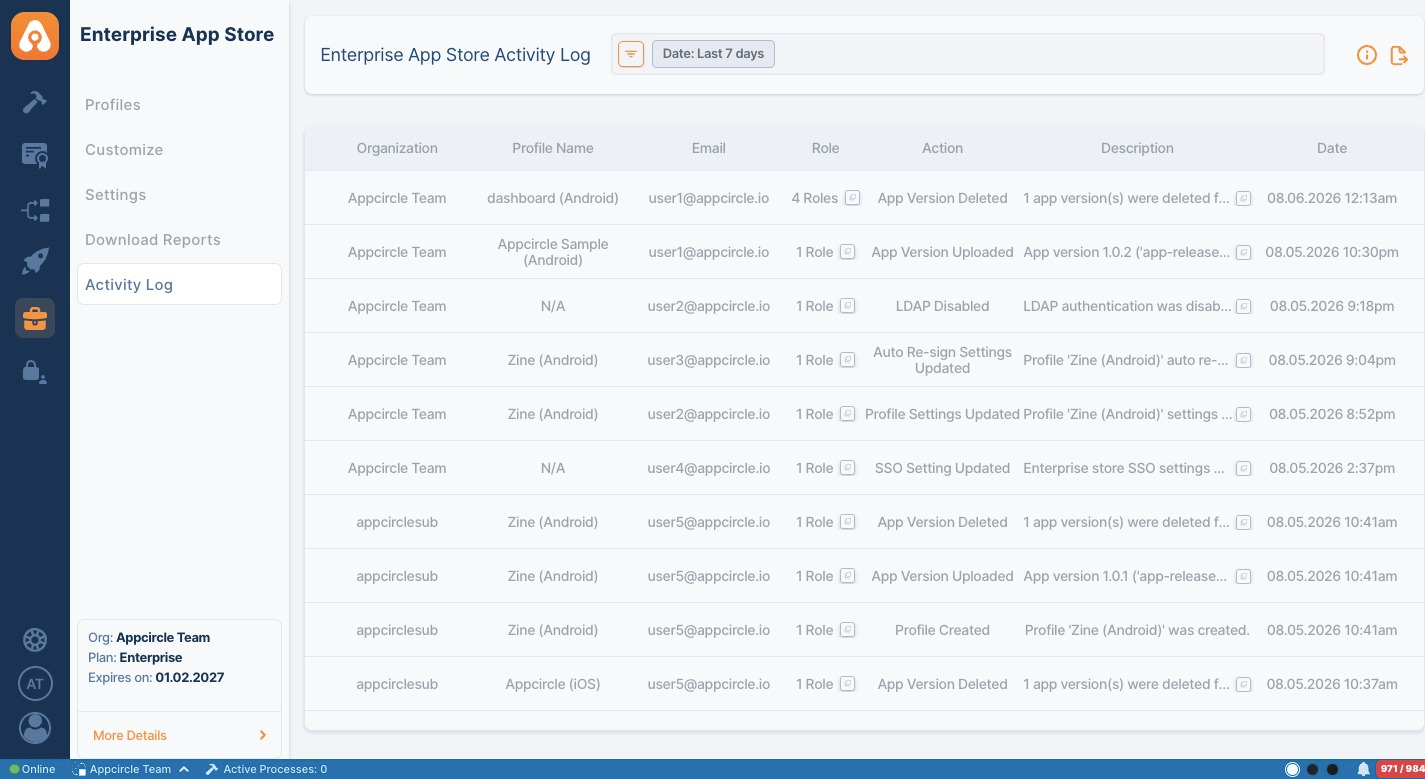
Only Organization / Sub-Organization Owners and users with Organization Management Role will have access to this area.
Information about other Organizations and their Sub-Organizations will not be accessible without the required level of clearance.
Organization Owners can also observe the actions of their Sub-Organizations.
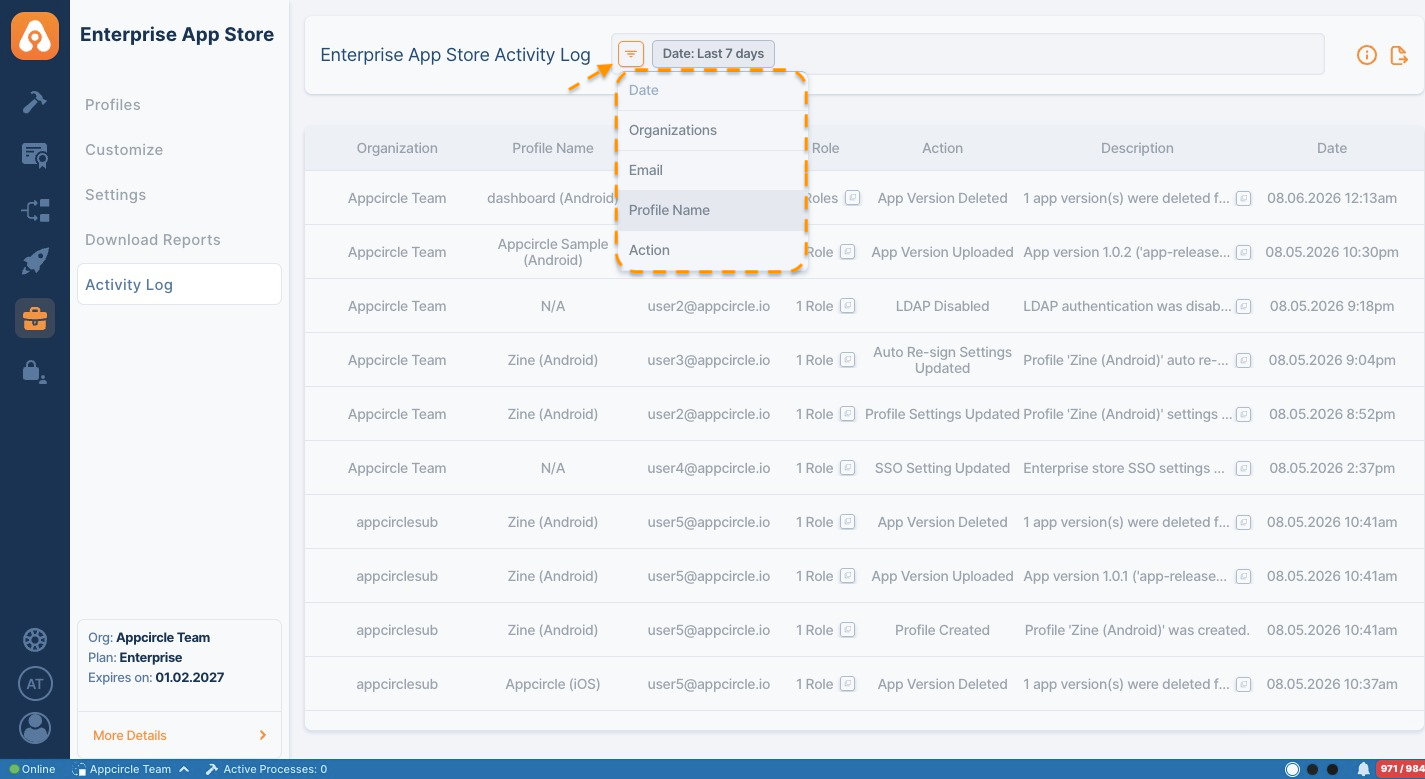
You can edit the required date range by clicking the time filter in the top filter header as the default search time option is the last 7 days. Alternatively, you can choose custom dates from the calendar by selecting the 'In Between' option.
Another method to search is by Actions. Simply click the filter option and select Actions. Then you can choose a specific action to refine your search.
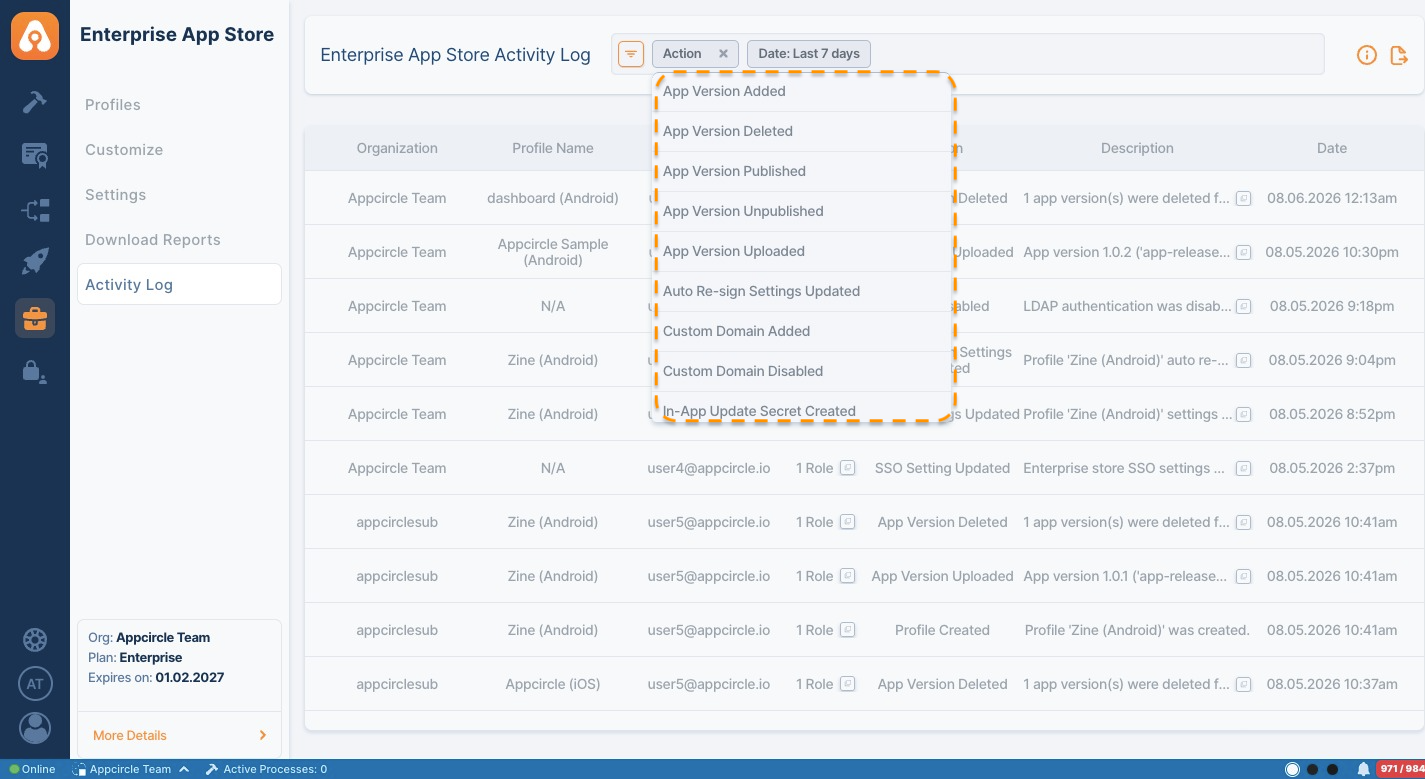
Here is the full list of actions that can be monitored:
- Profile Created
- Profile Settings Updated
- Profile Deleted
- App Version Added
- App Version Uploaded
- App Version Deleted
- App Version Published
- App Version Unpublished
- Auto Re-sign Settings Updated
- Custom Domain Added
- Custom Domain Disabled
- In-App Update Secret Created
- In-App Update Secret Revoked
- LDAP Disabled
- LDAP Enabled
- LDAP Settings Created
- LDAP Settings Updated
- LDAP Settings Deleted
- SSO Enabled
- SSO Disabled
- SSO Setting Created
- SSO Setting Updated
- SSO Setting Deleted
- Single Session Enabled
- Single Session Disabled
- Store Customization Updated
- Store Settings Updated
- Store URL Updated
- Two-Factor Authentication Setting Updated
This report page supports CSV export. Click the Export button in the top-right corner of the screen to download the data.