App Release Information
The App Release Information section allows you to configure how your application update will be released on the App Store after approval. You can define the release strategy, schedule automatic or manual publishing, and optionally enable phased rollout to gradually distribute updates to users over a 7-day period. These settings help teams manage release timing, reduce deployment risks, and control update availability for App Store users.
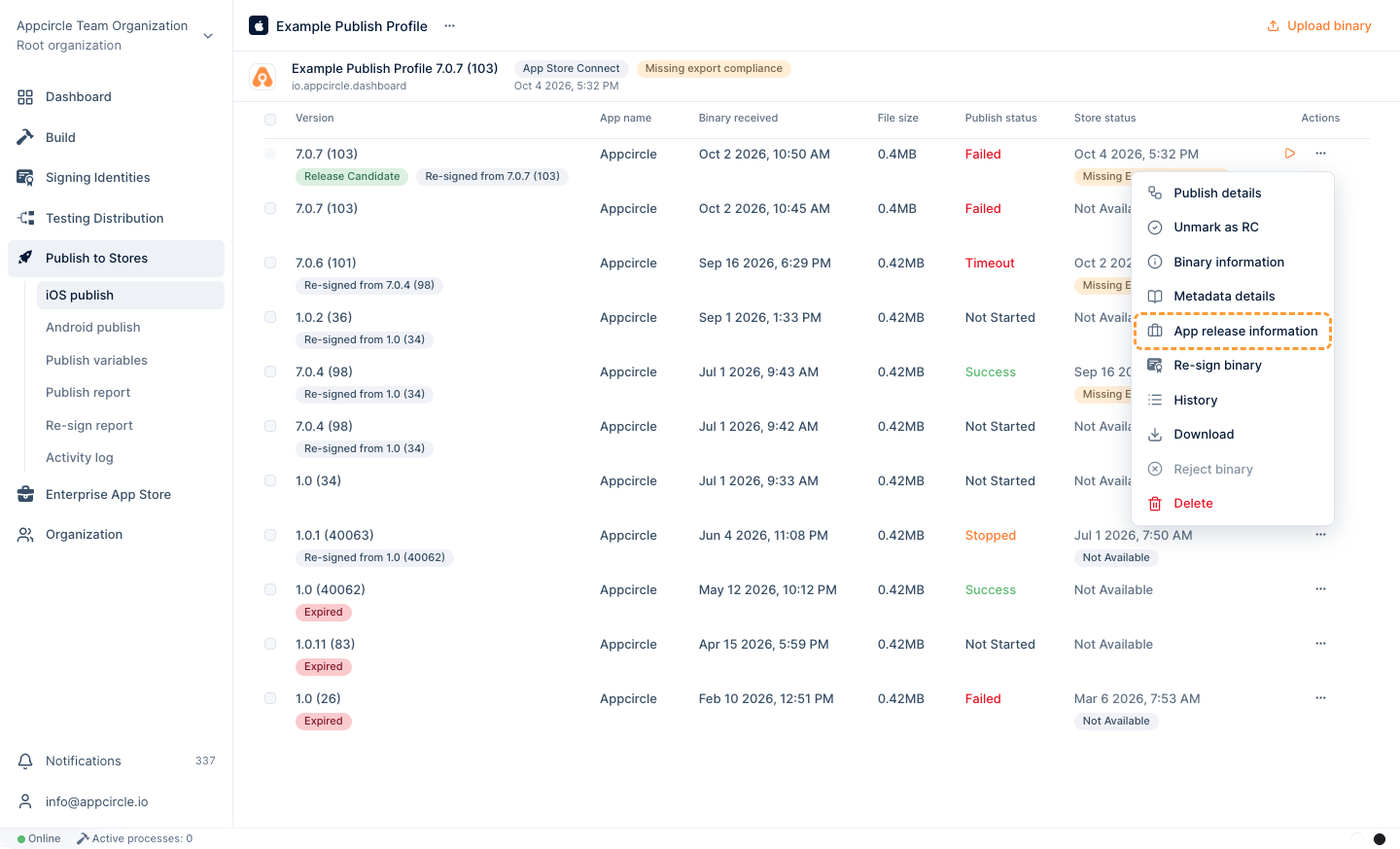
-
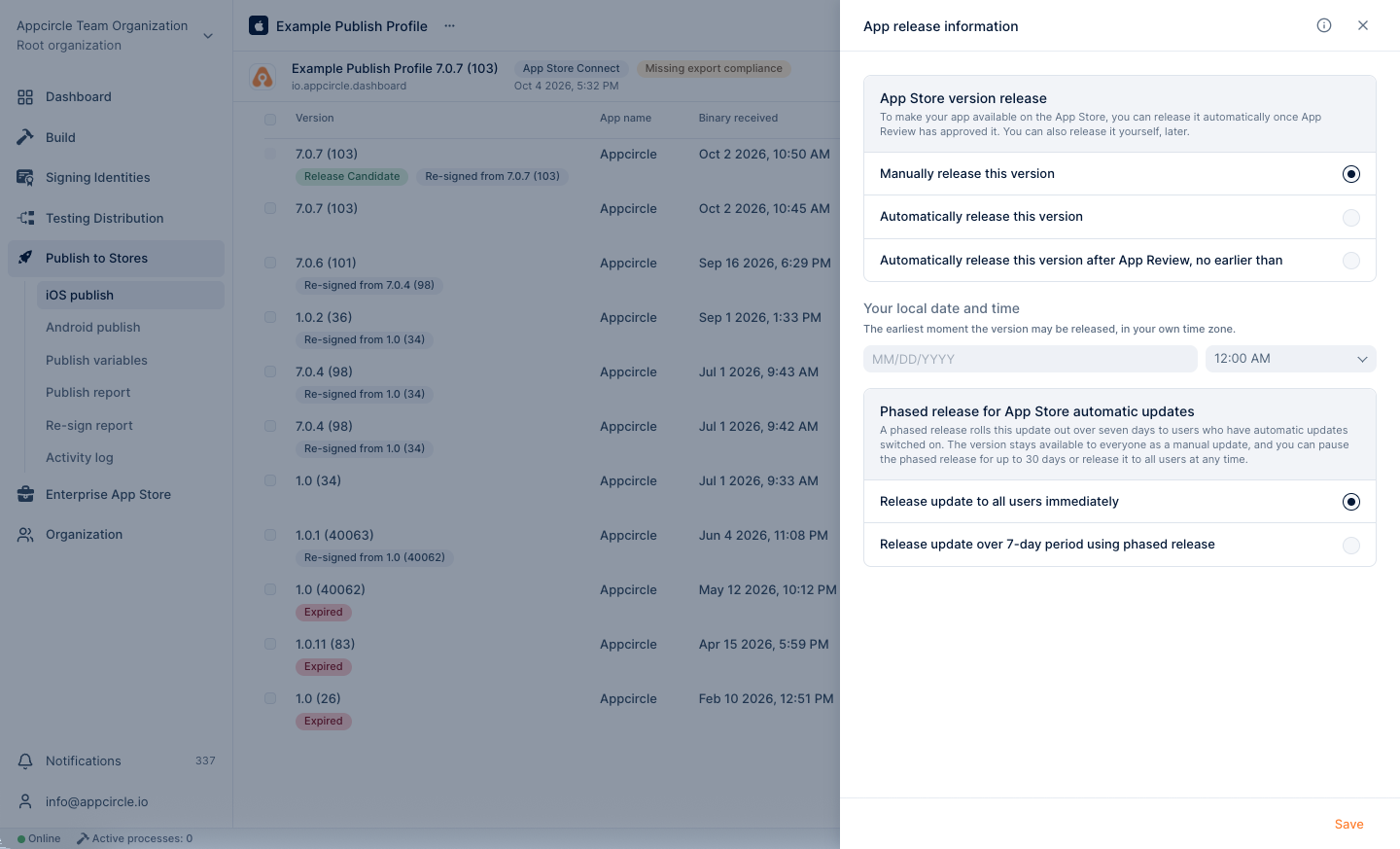
App Store Version Release: Choose how you want to release your app on the App Store. To make your app available on the App Store, you can automatically release it after it’s been approved by App Review. You can also manually release it on the App Store at a later date.
- Manually release this version
- Automatically release this version
- Automatically release this version after App Review, no earlier than a specified date and time
-
Phased Release for App Store Automatic Updates: Opt in to gradually release updates over a 7-day period to users. Phased release for automatic updates lets you gradually release this update over a 7-day period to users who have turned on automatic updates from the App Store. Keep in mind that this version will still be available to all users as a manual update from the App Store. You can pause the phased release for up to 30 days or release this update to all users at any time.