Submit for Beta Testing
The Submit for Beta Testing feature allows users to distribute uploaded binaries to Internal and External TestFlight groups directly from Appcircle. It simplifies the beta distribution workflow by enabling testers assignment, release note management, and TestFlight submission actions from a single interface without requiring a rebuild or manual navigation to App Store Connect. This action is available from the binary action menu.
For this feature to be available, the relevant binary must have been submitted to TestFlight and have a “Ready to Beta Submission” status. Otherwise, this feature will not appear on the binary action button.
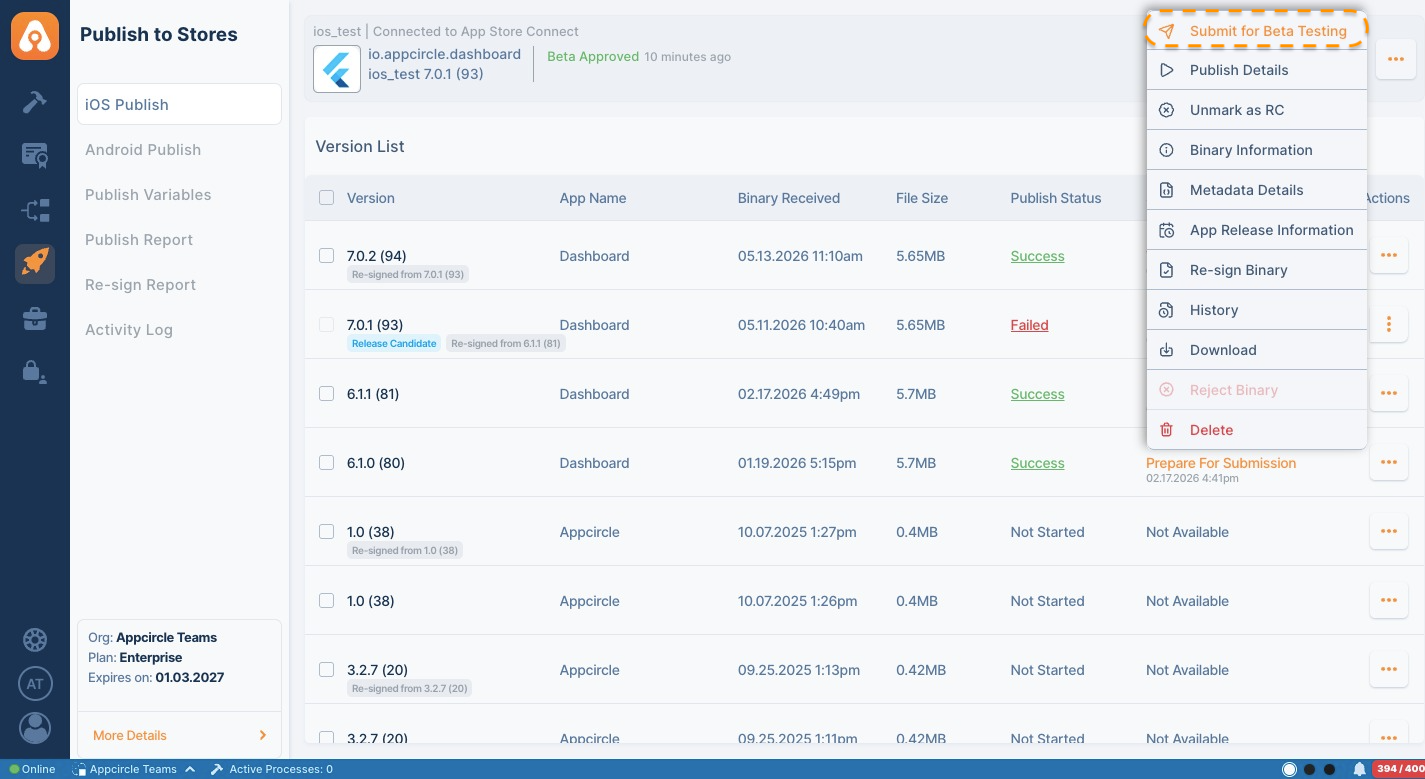
This option is only visible for binaries that are in a status eligible for beta submission. Binaries that are not ready for beta testing will not display this action.
If the Enable Automatic Distribution option is enabled when creating an internal testing group on TestFlight, you cannot add or remove a binary from that group afterward. For this reason, groups with this feature enabled will appear as disabled.
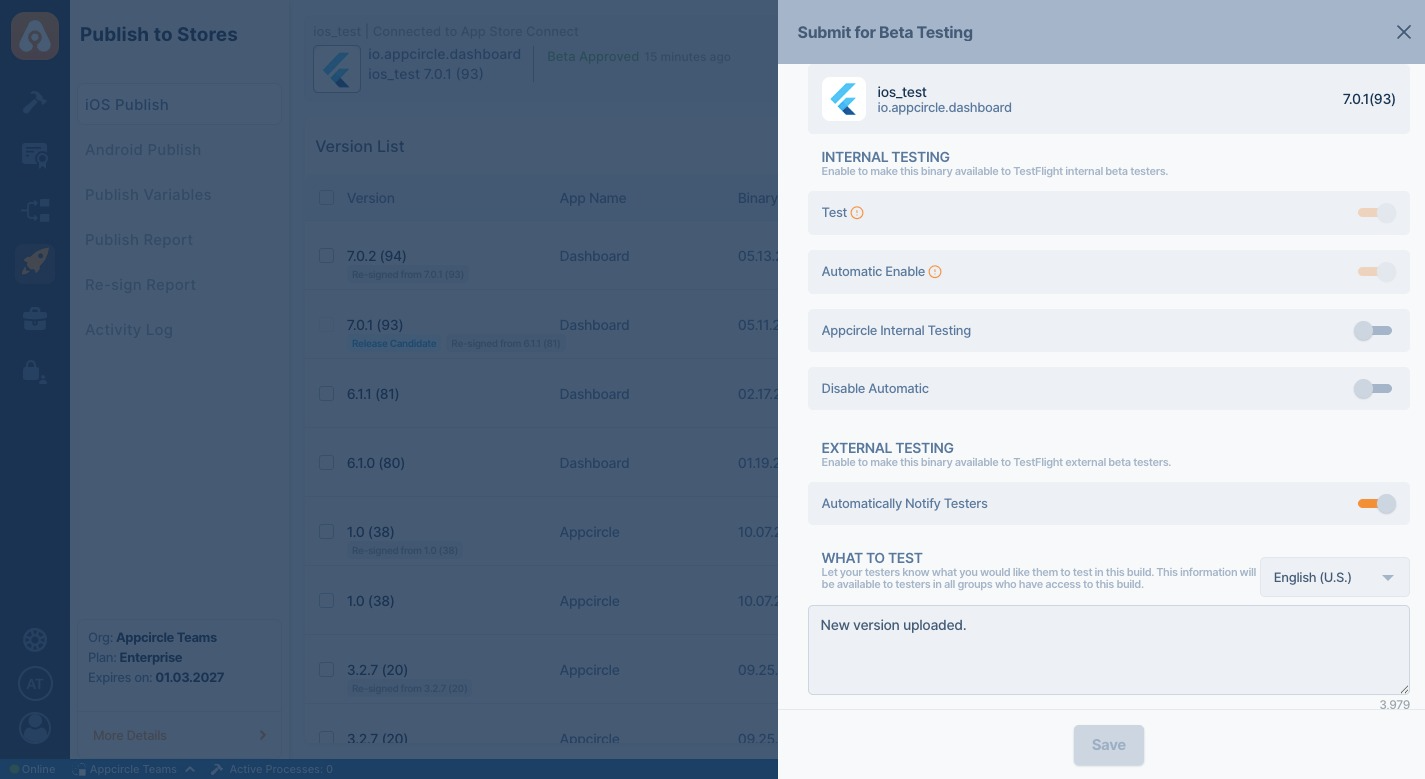
Using this screen, users can:
- Assign a build to one or multiple Internal TestFlight groups
- Assign a build to External TestFlight groups
- Manage beta testing distributions without rebuilding the application
Release Notes for External Testers
When submitting a build to External TestFlight groups, users can provide release notes with language support.
These release notes are shared with external testers through TestFlight.
Beta submissions may complete partially successfully.
For example, if a build is submitted to multiple beta groups and Apple rejects one of the groups due to validation or compliance requirements, the build can still be assigned successfully to the remaining groups.
Failed group assignments are displayed in the Activity Logs with detailed error information.