TestFlight Beta Information
The TestFlight Beta Information allows you to manage and monitor your application's TestFlight-related metadata directly within Appcircle. From a single interface, you can review the current testing status of your binaries, manage beta app information shown to testers, and configure beta review details synchronized with App Store Connect.
Testing Status
The Testing Status tab provides visibility into binaries that are currently assigned to TestFlight testing groups.
This tab displays testing-related statuses such as:
- Ready for Beta Testing
- Approved
- In Testing
The information shown in this section is based on the TestFlight Beta Information available on App Store Connect.
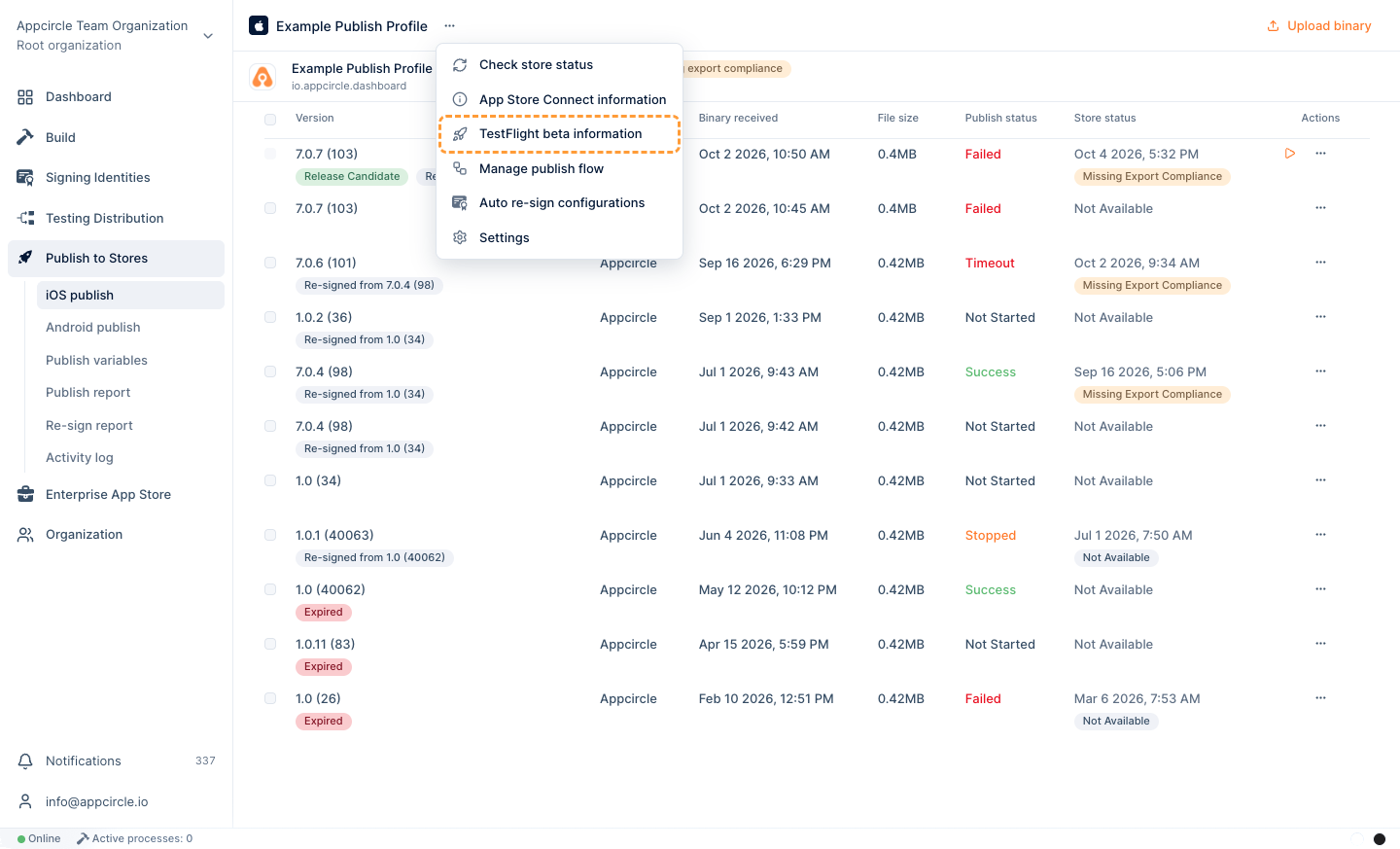
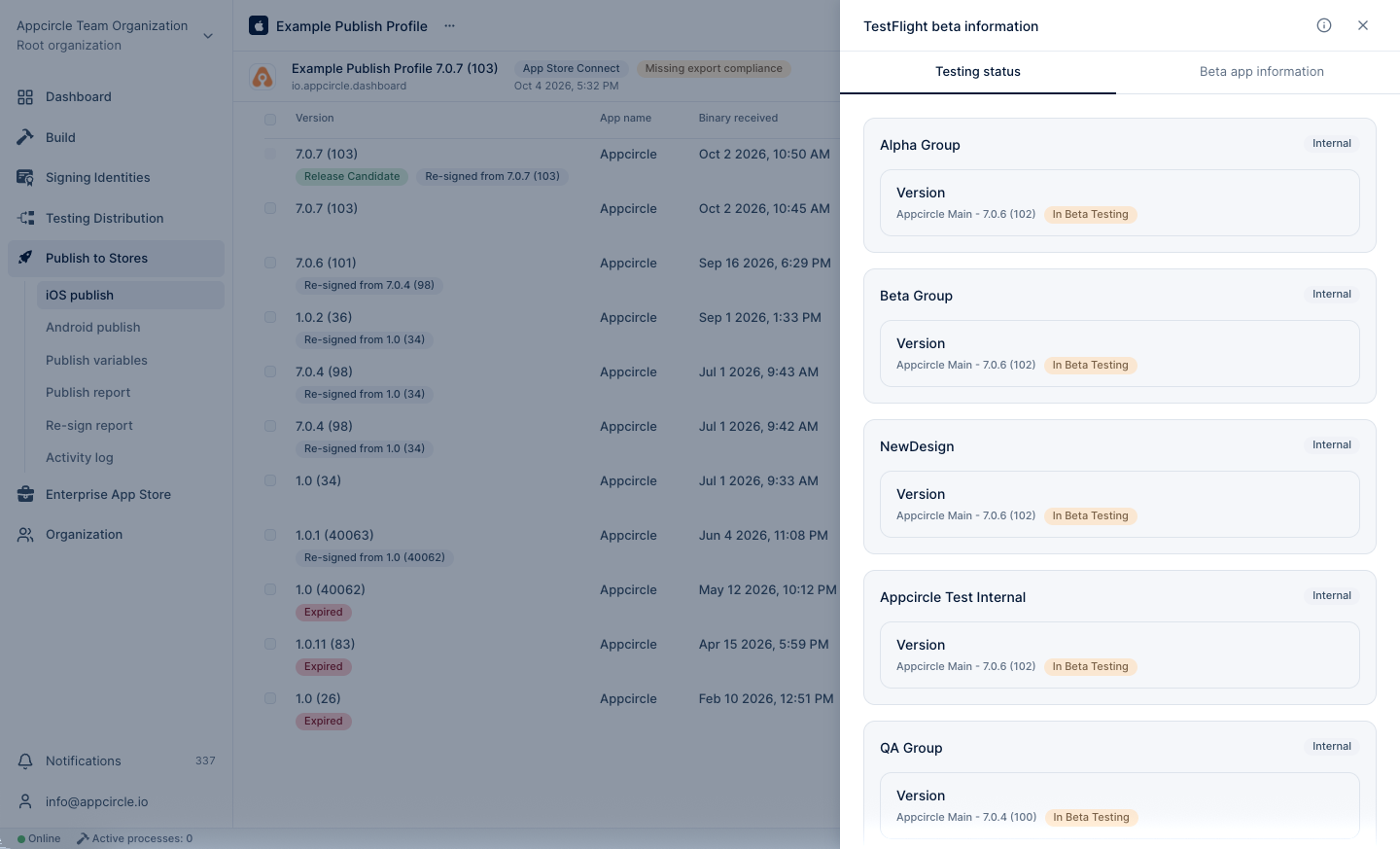
The data displayed on the Testing Status tab is read-only. It shows the status of existing groups on TestFlight and the latest binaries within those groups. To add or remove a binary from a group, please use the Submit for Beta Testing feature.
Beta App Information
The Beta App Information tab allows you to manage the metadata that will be displayed to beta testers on TestFlight. With this feature, you can easily update the desired data without having to log in to your App Store Connect account.
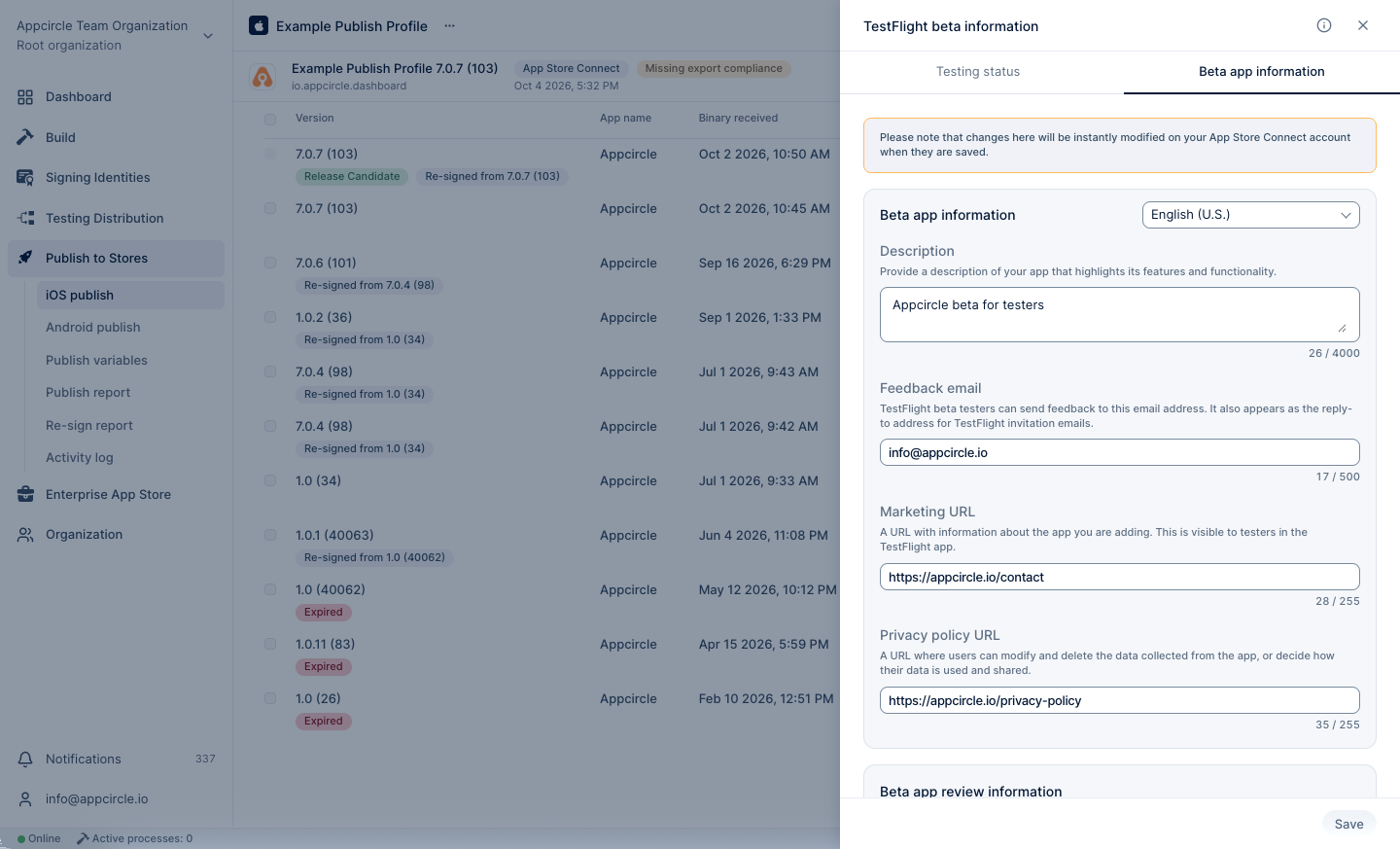
All data in this modal is automatically synchronized with your linked App Store Connect account as soon as the modal opens. Any changes you make will be updated in your App Store Connect account as soon as you click the Save button.
Localization Settings
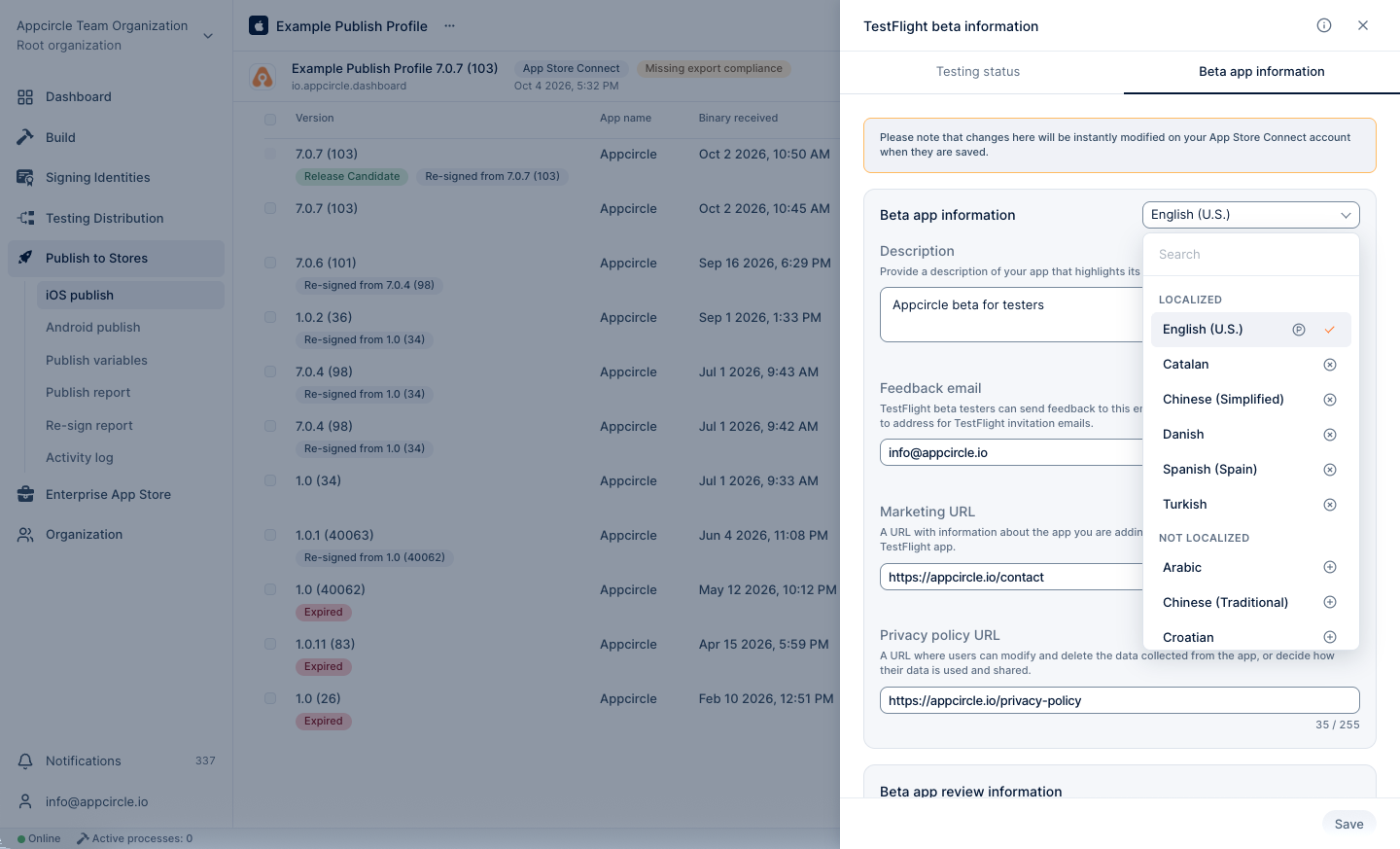
The localization dropdown allows you to select the language in which you want to present your app’s beta information metadata on the TestFlight. This feature supports multiple languages, ensuring that you can target specific demographics and cater to a global audience.
When you select a language, you will provide localized versions of your app's beta information metadata, including descriptions, feedback email and urls. Localization helps in reaching a wider audience by providing information in the users' native language.
The localization option in the Beta App Information section applies only to the Description, Feedback Email, Privacy URL, and Marketing URL fields.
Fields Explained
Beta App Information
- Description: The information shown to TestFlight users about the beta version of the app. Usually includes a short explanation of the app’s purpose, new features, improvements, bug fixes, or anything testers should focus on during testing.
- Feedback Email: The email address testers can use to send bug reports, feedback, screenshots, or general comments about the beta application.
- Privacy URL: A publicly accessible URL that explains how user data is collected, processed, stored, and protected within the application. This should point to the app’s privacy policy page.
- Marketing URL: A public website URL related to the product, company, or application. Usually used for product information, landing pages, feature overviews, or support resources.
Beta App Review Information
- Contact First Name: First name of the person Apple can contact regarding the beta review process.
- Contact Last Name: Last name of the person Apple can contact regarding the beta review process.
- Contact Phone: A reachable phone number Apple reviewers can use if they need clarification during the beta app review.
- Contact Email: The primary email address Apple will use to communicate about TestFlight beta review issues or questions.
- Notes: Additional instructions or explanations for Apple reviewers. This may include feature descriptions, hardware requirements, special configurations, known limitations, or review guidance.
- Sign-in Information: Indicates whether authentication is required to access the application during review and testing.
- Demo Account Name: Username, email, or account identifier Apple reviewers can use to log into the application if authentication is required.
- Demo Account Password: Password associated with the provided demo account for reviewer access.
License Agreement
- License Agreement: The legal agreement presented to beta testers defining the terms of use, restrictions, responsibilities, disclaimers, and usage rights for the application.