How to Configure Branch-Base Caching
By default, Appcircle cache is shared across builds to improve performance. However, in some cases, you may want to create a separate cache for each branch to avoid conflicts between different build outputs or dependencies.
This document explains how to configure the Appcircle Cache structure so that each branch uses its own isolated cache, ensuring consistent and predictable builds when working with multiple active branches.
Branch-based caching is recommended for teams that require isolated cache usage per branch. However, this approach does not provide a performance advantage for the first build of a new branch, since no cache will exist for that branch initially.
Cache benefits will apply starting from the second and subsequent builds of the same branch, once the cache has been created.
Steps to Enable Branch-Based Caching
-
Open the Cache Pull step that you added to your pipeline by following the Cache Pull documentation.
-
Update the default Cache label input as shown below:
$AC_BUILD_PROFILE_ID/cache➜
$AC_BUILD_PROFILE_ID/$AC_BUILD_BRANCH_ID/cache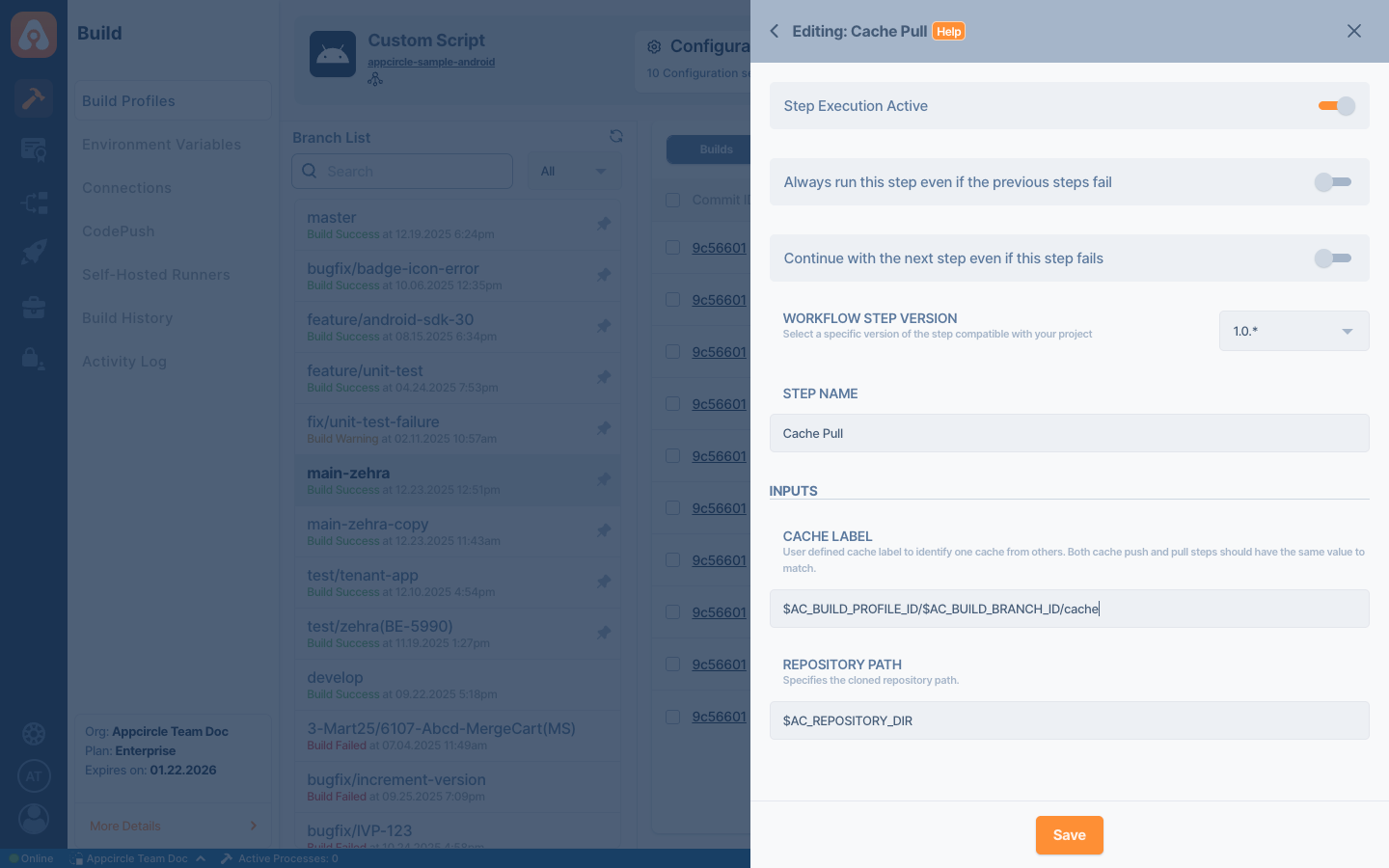
-
Save the changes in the Cache Pull step.
-
In the same pipeline, open the Cache Push step that you added by following the Cache Push documentation.
-
Update the default Cache label input as shown below:
$AC_BUILD_PROFILE_ID/cache➜
$AC_BUILD_PROFILE_ID/$AC_BUILD_BRANCH_ID/cache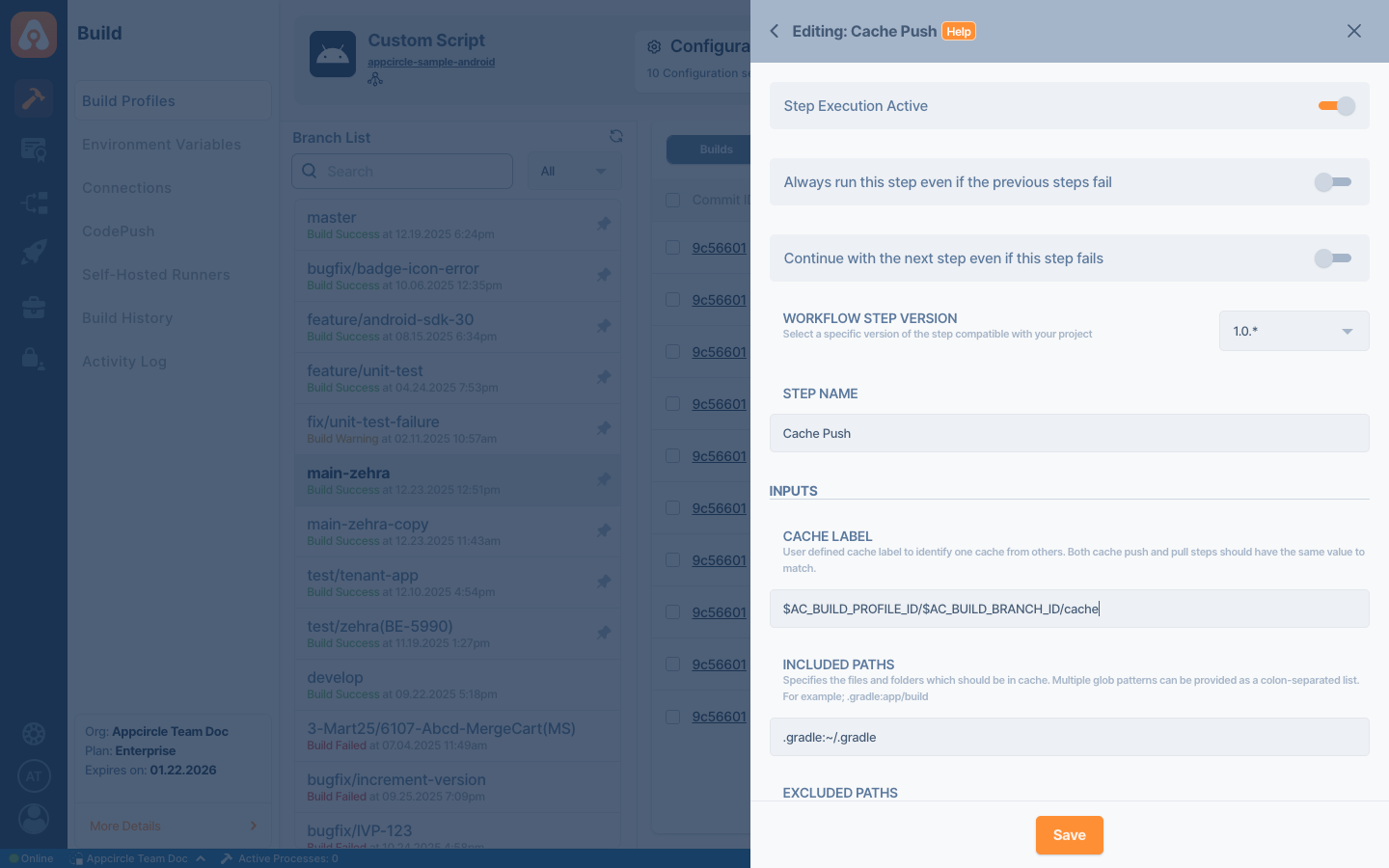
-
Save the changes in the Cache Push step.
How It Works
By including the branch ID in the cache label, Appcircle creates a separate cache namespace for each branch. This prevents different branches from sharing the same cache and avoids potential conflicts between dependencies or build outputs.
When a branch is built for the first time, no cache will be available for that branch. Starting from the second and subsequent builds, the cache created by the Cache Push step will be reused by the Cache Pull step, improving build consistency.